The best wireless headsets for work balance clear calls, comfortable wear, and easy switching between a computer and phone. These picks range from boom mic office models to open ear designs, so choose by call controls, wearing style, and how much listening time you need.
Quick Top Products
JLab Epic Work ANC
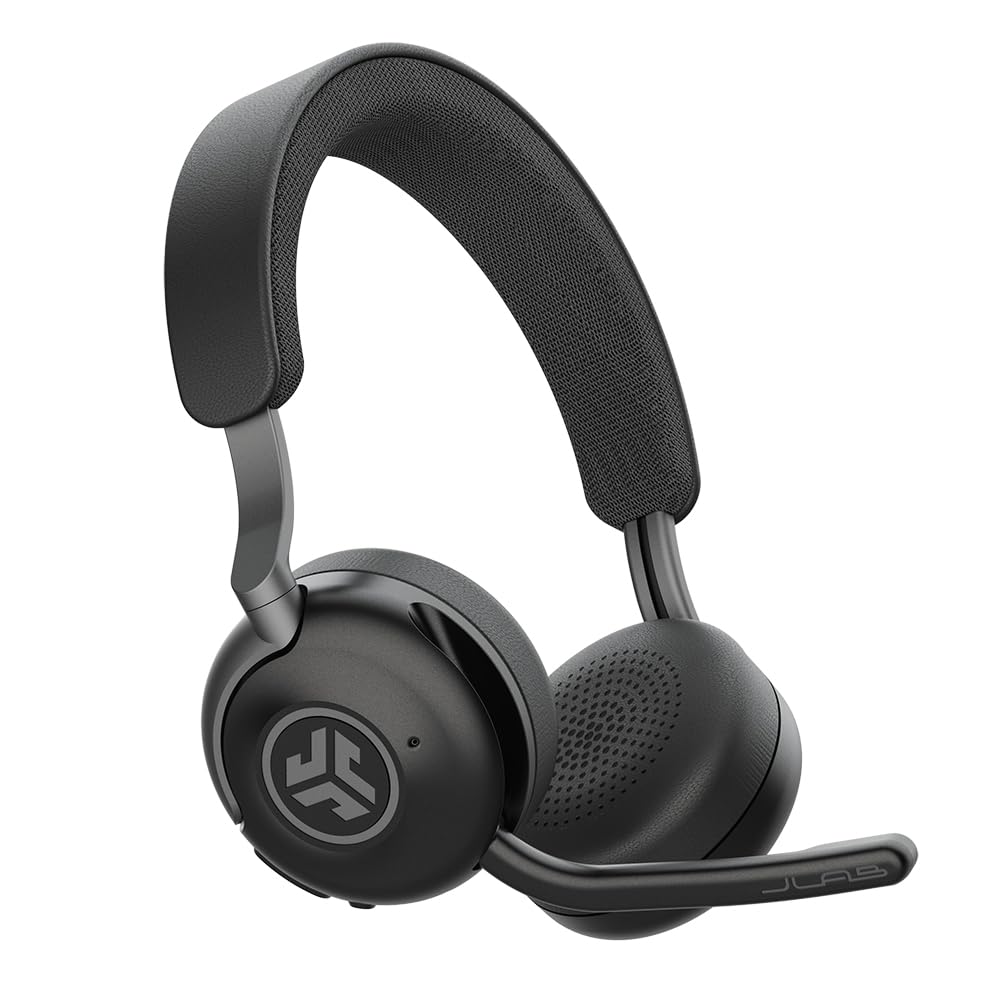
- Active noise cancellation is rated up to 30 dB, with Be Aware functionality.
- A rotating adaptive mic has quick mute and Hear Yourself mode.
- Charging hub and 90+ hours of wireless playtime are included features.
Best For: Office workers who want active noise cancellation, a dedicated charging hub, and long stated playback time.

JLab JBuds Work Wireless Headset

- Over-ear design with a rotating boom microphone for calls.
- Connect two devices with Bluetooth multipoint or use the included wired cable.
- Up to 60+ hours of worktime, with an LED mute indicator.
Best For: People who want an over-ear work headset with long battery life and a physical mute indicator.
SHOKZ OpenMeet
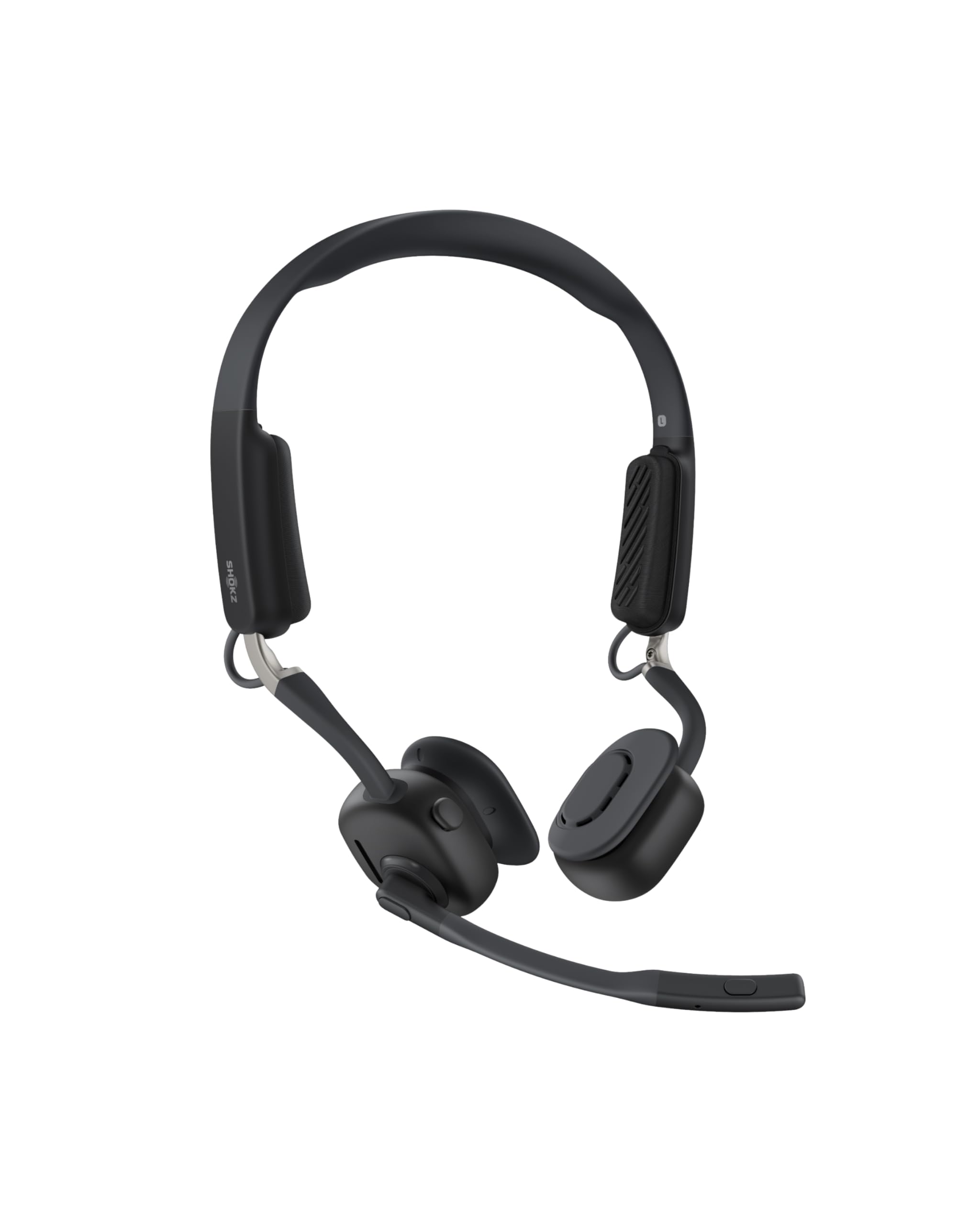
- The open-ear headset weighs 78g and includes three temple cushion sizes.
- Its dual noise-cancelling microphones are specified to cut 98.6% of background noise.
- It has a dedicated mute button, multipoint pairing for up to two devices, and an LED indicator.
Best For: Workers who prefer open-ear wear, a dedicated mute button, and awareness of their surroundings.
JLab Go Work Wireless Headset

- Bluetooth multipoint connects two devices, and the headset includes a USB-C to 3.5mm cable.
- Dual microphones support calls, with a rotating boom mic for listening or conferencing.
- It offers 45+ hours of playtime and a red LED mute indicator.
Best For: People seeking an on-ear work headset with multipoint Bluetooth, a boom mic, and a wired option.
JLab Go Work Pop

- It offers 50+ hours of wireless playtime and USB-C charging.
- Bluetooth multipoint pairs the headset to two devices simultaneously.
- The rotating boom mic flips up to mute and down for calls.
Best For: People who want a lightweight on-ear work headset with a flip-to-mute boom mic and multipoint.
Noise Control and Charging Hub
JLab Epic Work ANC Wireless on-Ear Headset with Microphone, smart Noise Cancellation, multipoint Connect, Charging hub, Black
The JLab Epic Work ANC brings active noise cancellation and a rotating adaptive microphone to an on-ear work headset. It includes a charging hub for power management and supports multipoint Bluetooth, so it can stay connected to a computer and mobile device.
JLab gives it 90+ hours of wireless playtime and a Hear Yourself mode, alongside Be Aware functionality for ambient sounds. The Work App provides EQ and ANC controls.
This model suits people who want to manage listening and call features from one headset, though its on-ear fit and stated noise reduction level are worth weighing against your comfort and workspace needs.
Best For: Office workers who want active noise cancellation, a dedicated charging hub, and long stated playback time.
| Pros | Cons |
|---|---|
|
|
Pick the Epic Work ANC if active noise cancellation, a charging hub, and app based controls are priorities. Its multipoint connection and Hear Yourself mode also support switching among devices while keeping track of your own voice.
The 90+ hour figure is a stated playback specification, not a guarantee of time between calls under every setting. Before buying, consider whether you want on-ear cushions and check that the headset's app controls and charging hub fit your routine.
Long-Shift Over-Ear Work Headset
JLab JBuds Work Wireless Headset with Microphone, Over Ear Computer Headsets, Wired or Wireless Headphones with 60+ Playtime, Multipoint Bluetooth Headset for Laptop Teams, Office with Mic (16 Pack)
The JLab JBuds Work combines an over-ear fit with a rotating boom mic, making it suited to meetings and calls throughout a long workday. It supports Bluetooth multipoint for two devices and can also connect through the included USB-C to 3.5mm cable.
JLab gives it 60+ hours of playtime and Cloud Foam earcups. The earcup controls handle calls, volume, and mute, while a red LED on the boom shows mute status.
This is a practical fit for people who prefer a more enclosing headset; check that its over-ear form and wired connection option suit your desk setup.
Best For: People who want an over-ear work headset with long battery life and a physical mute indicator.
| Pros | Cons |
|---|---|
|
|
Choose this model if you want an over-ear fit, a boom mic that moves out of the way, and both Bluetooth multipoint and wired connectivity. The 60+ hour figure and visible mute indicator suit a meeting-heavy schedule.
It comes as a 16-pack, so confirm the package quantity fits your needs before buying. If you prefer an on-ear headset, compare it with JLab's Go Work options; those also include boom microphones but have a different earcup style.
Open-Ear Design for Room Awareness
SHOKZ New OpenMeet - Open-Ear Bluetooth Computer Headset, Noise Cancelling Mic + Mute Button, Bluetooth 5.4 Compatible with PC & Mac, Wireless Work Headphones, Customizable Fit, Smart App - C610
The SHOKZ OpenMeet uses an open-ear design with a customizable fit and three interchangeable temple cushion sizes. Its dual noise-cancelling microphones are specified to cut 98.6% of background noise, and a dedicated mic button provides mute control.
An LED indicator communicates when you are busy, while multipoint pairing supports up to two devices through the Shokz app. It offers up to 15 hours of battery life and a five-minute fast charge for two hours of talk time.
Consider it if staying aware of your surroundings matters more than an enclosed listening style or longer stated playtime.
Best For: Workers who prefer open-ear wear, a dedicated mute button, and awareness of their surroundings.
| Pros | Cons |
|---|---|
|
|
Choose OpenMeet if you want open-ear wear and a dedicated mute button while keeping a connection to two devices. Its customizable fit and fast-charge detail add practical flexibility, and its stated battery life is more modest than the JLab options here.
Before buying, consider whether open-ear audio suits your calls and whether Bluetooth connectivity meets your setup needs.
On-Ear Boom Mic with Wired Backup
JLab Go Work Wireless Headsets with Microphone, 45+ Playtime PC Bluetooth Headset and Multipoint Connect to Laptop Computer and Mobile, Wired or Wireless Headphones (1 Pack)
The JLab Go Work combines an on-ear fit with dual microphones for calls and a boom mic that rotates out of the way for listening. It can connect wirelessly to two devices at once, or use the included USB-C to 3.5mm cable.
Its controls cover calls, volume, and mute, with a red LED on the boom to show mute status. JLab gives it 45+ hours of playtime and Cloud Foam earcups, plus Work and Music EQ modes.
It is a practical fit for people who want meeting controls without an over-ear design; compare its stated playtime with longer-running options if charging intervals matter.
Best For: People seeking an on-ear work headset with multipoint Bluetooth, a boom mic, and a wired option.
| Pros | Cons |
|---|---|
|
|
This is a fit for someone who wants the core JLab call features in an on-ear headset: a rotating boom mic, quick mute indication, multipoint, and a wired cable. Its stated playtime is lower than the JBuds Work and Epic Work ANC, so weigh charging frequency against the fit and connection options you prefer.
Check that an on-ear design and the included cable fit your work setup.
Flip-to-Mute Boom for Work Calls
JLab Go Work Pop, On-Ear Wireless Headset, Bluetooth Multipoint, Noise Canceling Boom Mic, Black
The JLab Go Work Pop is a lightweight, portable on-ear headset with Cloud Foam earcups and a rotating boom microphone. It pairs with two devices simultaneously over Bluetooth 5.1, supporting a computer and mobile connection.
The mic flips down for calls and up to mute, and the headset has separate Voice and Music EQ modes. JLab gives it 50+ hours of wireless playtime and describes the MEMS microphone as noise cancelling.
This option suits buyers who want simple boom-mic call control without a charging hub; consider whether its on-ear fit and Bluetooth-only setup match your preferences.
Best For: People who want a lightweight on-ear work headset with a flip-to-mute boom mic and multipoint.
| Pros | Cons |
|---|---|
|
|
Choose Go Work Pop if you want a straightforward flip-to-mute boom and a stated 50+ hours of playtime. Multipoint supports a PC and mobile device, while its Voice and Music modes cover calls and general listening.
The tradeoff is that a wired connection is not specified, unlike the cable included with other JLab work models. Check your preferred connection method and whether the on-ear fit suits extended calls.
How to Choose Wireless Headsets For Work
How We Picked Wireless Work Headsets
The strongest matches here have clear work uses in their supplied features: boom microphones, mute controls, multipoint connections, stated battery life, or open-ear comfort. This separates office oriented choices such as the JLab JBuds Work and Epic Work ANC from gaming headsets that are useful mainly when a buyer also wants console or PC audio.
The pool also includes less specialized headphones with microphones. Those can handle casual calls, but the roundup favors products with a more direct work fit and distinct practical roles, such as visible mute status, a charging hub, or an open-ear design.
Comparing Wireless Headsets for Work
The JLab JBuds Work is an over-ear option with a boom mic, wired backup, and 60+ hour worktime; the Go Work models use on-ear cushions and shorter feature lists. The Epic Work ANC adds active noise cancellation, a charging hub, and app controls.
SHOKZ OpenMeet takes another approach, leaving ears open while including a noise cancelling mic and a dedicated mute button.
The SteelSeries Nova Pro Wireless has broader multi-system and gaming features, two hot-swappable batteries, ANC, and mobile Bluetooth. That combination can suit a desk that also handles gaming, but a JLab work headset is more directly centered on meetings.
| Product | Standout features | Best for |
|---|---|---|
| JLab Epic Work ANCCheck Price |
| Office workers who want active noise cancellation, a dedicated charging hub, and long stated playback time. |
| JLab JBuds Work Wireless HeadsetCheck Price |
| People who want an over-ear work headset with long battery life and a physical mute indicator. |
| SHOKZ OpenMeetCheck Price |
| Workers who prefer open-ear wear, a dedicated mute button, and awareness of their surroundings. |
| JLab Go Work Wireless HeadsetCheck Price |
| People seeking an on-ear work headset with multipoint Bluetooth, a boom mic, and a wired option. |
| JLab Go Work PopCheck Price |
| People who want a lightweight on-ear work headset with a flip-to-mute boom mic and multipoint. |
Choosing a Work Headset for Calls
Look at microphone placement and mute behavior first. A rotating boom mic keeps the mic close for calls; on the JBuds Work, the red LED shows mute status.
The Epic Work ANC has quick mute and Hear Yourself mode. SHOKZ OpenMeet uses a dedicated mic button and an LED indicator, while its open-ear design helps keep nearby sounds audible.
Multipoint matters when calls move between a laptop and phone. JLab Go Work, JBuds Work, Go Work Pop, Epic Work ANC, and OpenMeet each describe connection to two devices.
Confirm which connection method fits your equipment: several JLab models include a USB-C to 3.5mm cable, while OpenMeet emphasizes Bluetooth.
Battery, Comfort, and Noise Control
Battery figures differ substantially, but stated playback time should not be read as a guaranteed talk time. The Epic Work ANC gives a 90+ hour wireless playtime figure and includes a charging hub; JBuds Work lists 60+ hours, and Go Work Pop lists 50+ hours.
OpenMeet gives up to 15 hours of battery life and supports a quick charge, making fit and awareness features more central than maximum listed runtime.
For noise management, the Epic Work ANC and SteelSeries Nova Pro Wireless offer active noise cancellation, while the JLab Pop Work describes a noise cancelling microphone. These features address different things: a microphone feature targets call pickup, while headset ANC affects the audio you hear.
SHOKZ OpenMeet's open-ear fit is an alternative when staying aware of the room is important.
Who Should Buy Which Work Headset?
Choose the JBuds Work if you want an over-ear fit, long stated playtime, wired fallback, and visible mute status. Pick the Epic Work ANC for its charging hub, ANC, and app controls.
The SHOKZ OpenMeet fits people who prefer open-ear wear and a dedicated mute button, while Go Work Pop offers an on-ear boom mic and multipoint pairing.
Choose the Nova Pro Wireless only if its gaming and multi-system features are useful alongside work calls. Before buying, check the earcup style, device connections, mute controls, and whether you want an included cable or charging base.