The HP Sprocket Portable Photo Printer (2nd Edition) turns phone images into 2x3-inch sticky-backed prints for journals, albums, and casual sharing.
This hp sprocket review 2x3 looks at its compact format, app-based editing, and group-print features to help you decide whether that small-print workflow fits your routine.
HP Sprocket Review Summary
The quick verdict
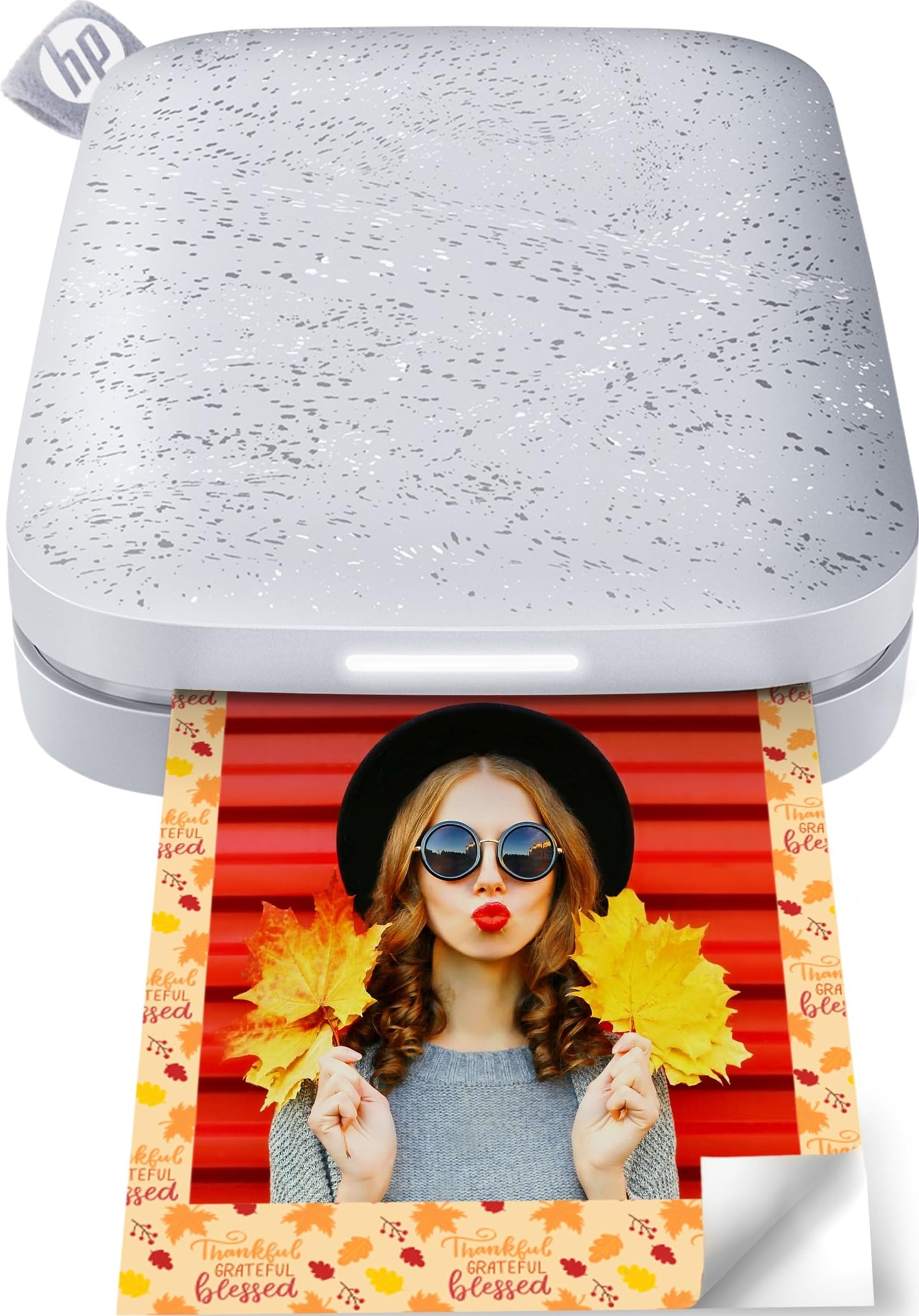
25,000+ ratings
Read Amazon ReviewsHP Sprocket Portable Photo Printer (2nd Edition)
A compact pick for travelers, scrapbookers, and friends who want to turn phone photos into small, peel-and-stick prints on the go.
- Prints 2x3-inch photos on Zink paper with peel-and-stick backing.
- Smartphone-sized body designed for a pocket, purse, or backpack.
- Bluetooth 5.0 connectivity and sleep mode keep it connected while idle.
- The HP Sprocket app lets users personalize and print social media photos, and share customized albums.

Pros
- Small format and compact design make it convenient to carry for trips and gatherings.
- Adhesive-backed paper turns each print into a small photo or sticker.
Consider before buying
- The 2x3-inch output is best for small keepsakes; buyers wanting larger display prints should choose a different format.
- The supplied paper is a 10-sheet starter pack, so regular printing means planning for compatible paper replenishment.
Read the full review summary
The Sprocket is built around convenience: it connects to a phone, uses Zink paper rather than separate ink, and produces compact prints with adhesive backing.
Its smartphone-sized design and included 10-sheet starter pack make it easy to imagine bringing to a trip, gathering, or scrapbook session.
It suits people who value quick, tangible keepsakes over larger-format prints. The app adds editing and sharing tools, while the multiple-device queue and personalized light can make printing more social.
Buyers should be comfortable with 2x3-inch output and check the paper format and app compatibility against their own devices before committing.
The buying factors
HP Sprocket Scorecard
Editorial scores reflect listed features and buyer fit; they are not laboratory measurements or customer ratings.
Portability
The smartphone-sized design is intended to slip into a pocket, purse, or backpack.
Print format versatility
The 2x3-inch adhesive format works well for small displays and stickers, but it is a compact keepsake size.
Creative editing
The HP Sprocket app supports decorating, designing, and printing social media photos.
Group sharing
Multiple devices can connect for printing, and a personalized LED indicates whose photo is printing.
Setup compatibility
Bluetooth 5.0 and support for Android 5 and above or iOS 10 and above cover a range of phones, subject to the buyer's device and app compatibility.
Ready-to-use paper supply
The package includes 10 sheets of 2x3-inch HP Zink paper, enough to start with a small print session.
Key Features and Specifications of HP Sprocket
- Prints 2x3-inch photos on Zink paper with peel-and-stick backing.
- Smartphone-sized body designed for a pocket, purse, or backpack.
- Bluetooth 5.0 connectivity and sleep mode keep it connected while idle.
- The HP Sprocket app lets users personalize and print social media photos, and share customized albums.
- Multiple devices can connect to print at the same time; a personalized LED shows whose print is in progress.
- Scanning the printer with a smartphone and the Sprocket app brings up a virtual queue of print jobs.
- Includes 10 sheets of HP Zink paper and a one-year limited hardware warranty.
Pros and Cons of HP Sprocket
Pros
- Small format and compact design make it convenient to carry for trips and gatherings.
- Adhesive-backed paper turns each print into a small photo or sticker.
- App tools offer a direct way to personalize photos before printing.
- Multiple-device printing and a visual queue add practical options for group use.
Consider before buying
- The 2x3-inch output is best for small keepsakes; buyers wanting larger display prints should choose a different format.
- The supplied paper is a 10-sheet starter pack, so regular printing means planning for compatible paper replenishment.
- The workflow depends on a compatible phone and the HP Sprocket app; check that your device meets the listed operating-system requirements.
Who Should Buy HP Sprocket?
Good fit
Consider the HP Sprocket if you often want a physical version of a phone photo while traveling, journaling, or spending time with friends.
Its pocket-oriented design, adhesive-backed prints, and app-based editing make it a focused tool for casual keepsakes rather than a general-purpose printer.
It is especially appealing when several people may want to contribute photos to one session.
The multi-device queue and personalized LED can help make printing part of a shared activity, and the 10 included sheets let you begin with a small batch.
Before buying, confirm that your phone supports the app and that you are happy with a compact 2x3-inch print. Also account for buying compatible paper for future sessions, since the included pack is limited.
Who should skip it
Skip this format if your main goal is larger photographs for framing or prints with more room for detail; the Sprocket is designed around 2x3-inch output.
It may not suit someone who wants a printer independent of a smartphone app. Check your preferred workflow and phone compatibility before choosing.
How the HP Sprocket Fits a 2x3 Photo Routine
A small print format with an adhesive purpose
At 2x3 inches, each print is sized for a compact album, journal, or decorated surface. The peel-and-stick backing makes placement part of the use case, so the format is particularly suited to informal displays and crafts.
Buyers who plan to frame photos or want larger wall prints should decide whether this scale is enough for them.
A phone-first creative workflow
The app is central to personalizing and printing photos, including images from social media.
That makes the Sprocket convenient for people whose favorite pictures already live on a phone, while the listed Android and iOS requirements give buyers a concrete compatibility check.
Explore whether the app supports your device and the editing options you actually want before purchase.
Printing with friends
Multiple connected devices can send jobs, and the virtual queue provides a way to view print jobs by scanning the Sprocket with a phone. The personalized LED adds a visible cue about whose photo is printing.
These features can make it easier to share a session, though each person still needs to work through a compatible phone and app.
Planning for paper and portability
The included 10-sheet pack provides a small starting supply, and the compact design favors carrying the printer to casual events.
For frequent printing, consider the ongoing need for compatible 2x3-inch Zink paper and whether the adhesive format suits your projects.
Sleep mode and Bluetooth 5.0 are designed to keep the printer connected while idle; check the manual for operating details that matter to your routine.
Alternatives to HP Sprocket
Portable Photo Printers alternative
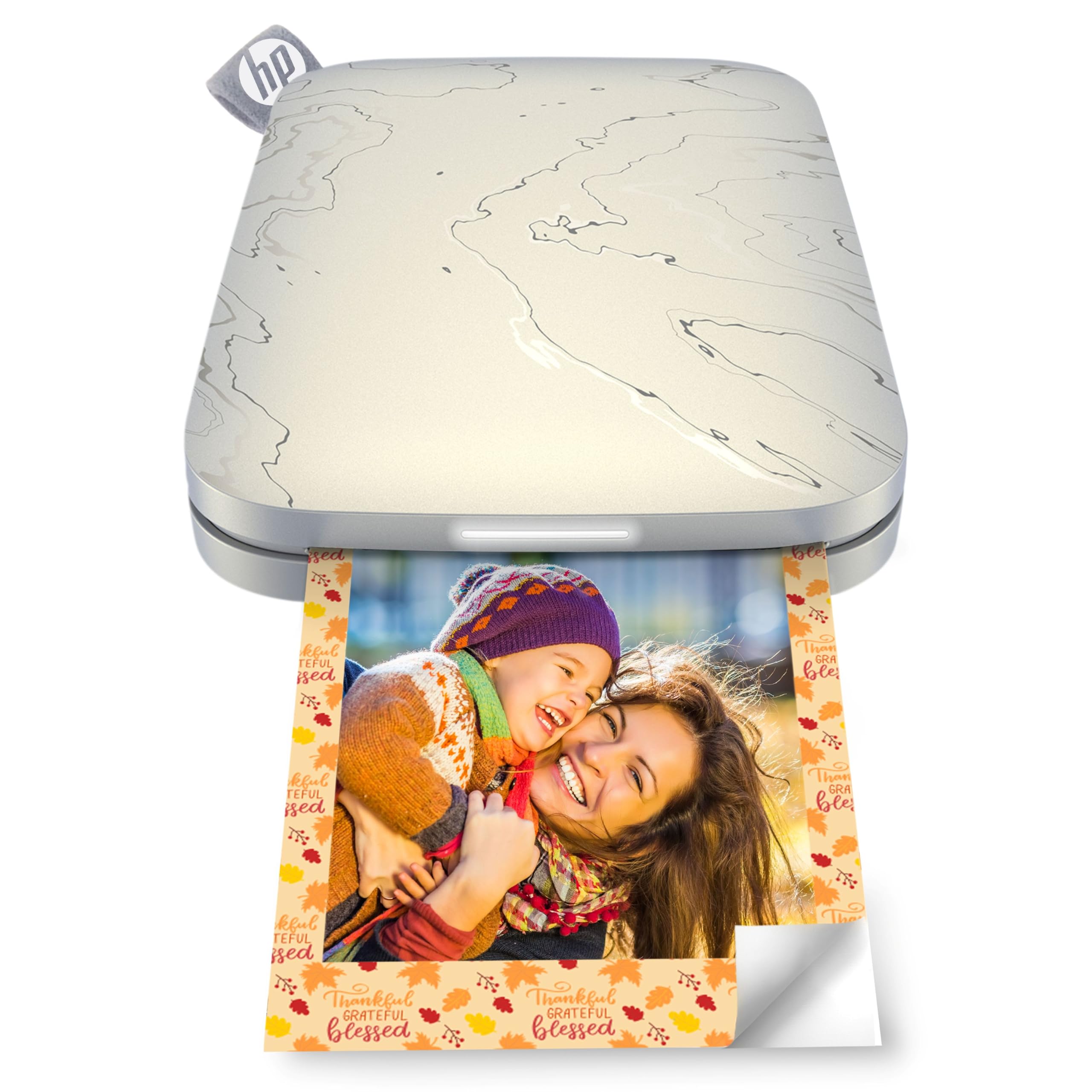
25,000+ ratings
Read Amazon ReviewsHP Sprocket Select 2.3x3.4 Instant Photo Printer
Choose the main Sprocket if its compact 2x3-inch format is the size you want. Consider the Select if you prefer a larger print and would use its additional app features.
- The Sprocket Select prints larger 2.3x3.4-inch photos and has Bluetooth 5.1 connectivity.
- Its app includes frames and filters, augmented-reality features, doodle scanning, and a tag-to-print option for social media.
- The HP Sprocket Portable Photo Printer makes 2x3-inch sticky-backed prints and includes 10 sheets of paper.
NFC pairing alternative
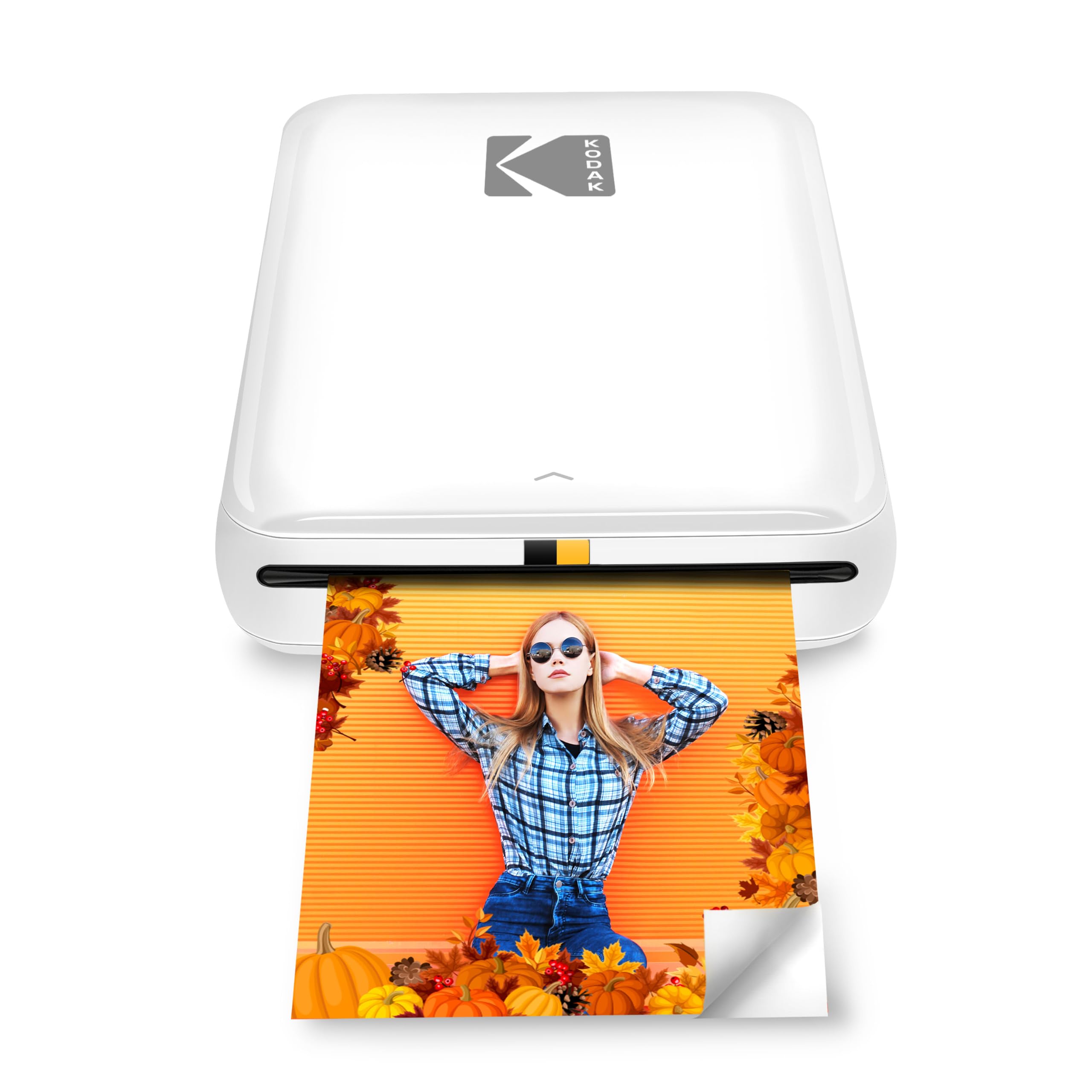
20,000+ ratings
Read Amazon ReviewsKODAK Step Instant Smartphone Photo Printer
Both target phone-based, portable 2x3-inch printing. Pick the HP if its group queue and shared-album features fit your plans; consider the KODAK Step if NFC connectivity or its stated full-charge print capacity matters more to you.
- The KODAK Step also produces 2x3-inch Zink prints with adhesive backing and connects through Bluetooth or NFC.
- Its app offers collages, filters, borders, stickers, and text; its built-in rechargeable battery is described as printing 25 photos on a full charge.
- The HP Sprocket combines 2x3-inch adhesive prints with multi-device printing and a virtual queue feature in its app.
Is HP Sprocket Worth It?
The HP Sprocket Portable Photo Printer (2nd Edition) is worth considering if you want a compact way to turn phone photos into small, adhesive-backed keepsakes.
Its app editing and group-print features give it appeal for travel, crafts, and social occasions.
The choice makes most sense when 2x3-inch prints are the goal and your phone is compatible with the app.
If you need larger photographs or expect to print often, weigh the small format and ongoing paper needs before buying.
Your review at a glance
25,000+ ratings
Read Amazon ReviewsHP Sprocket Portable Photo Printer (2nd Edition)
A compact pick for travelers, scrapbookers, and friends who want to turn phone photos into small, peel-and-stick prints on the go.
- Prints 2x3-inch photos on Zink paper with peel-and-stick backing.
- Smartphone-sized body designed for a pocket, purse, or backpack.
- Bluetooth 5.0 connectivity and sleep mode keep it connected while idle.
- The HP Sprocket app lets users personalize and print social media photos, and share customized albums.