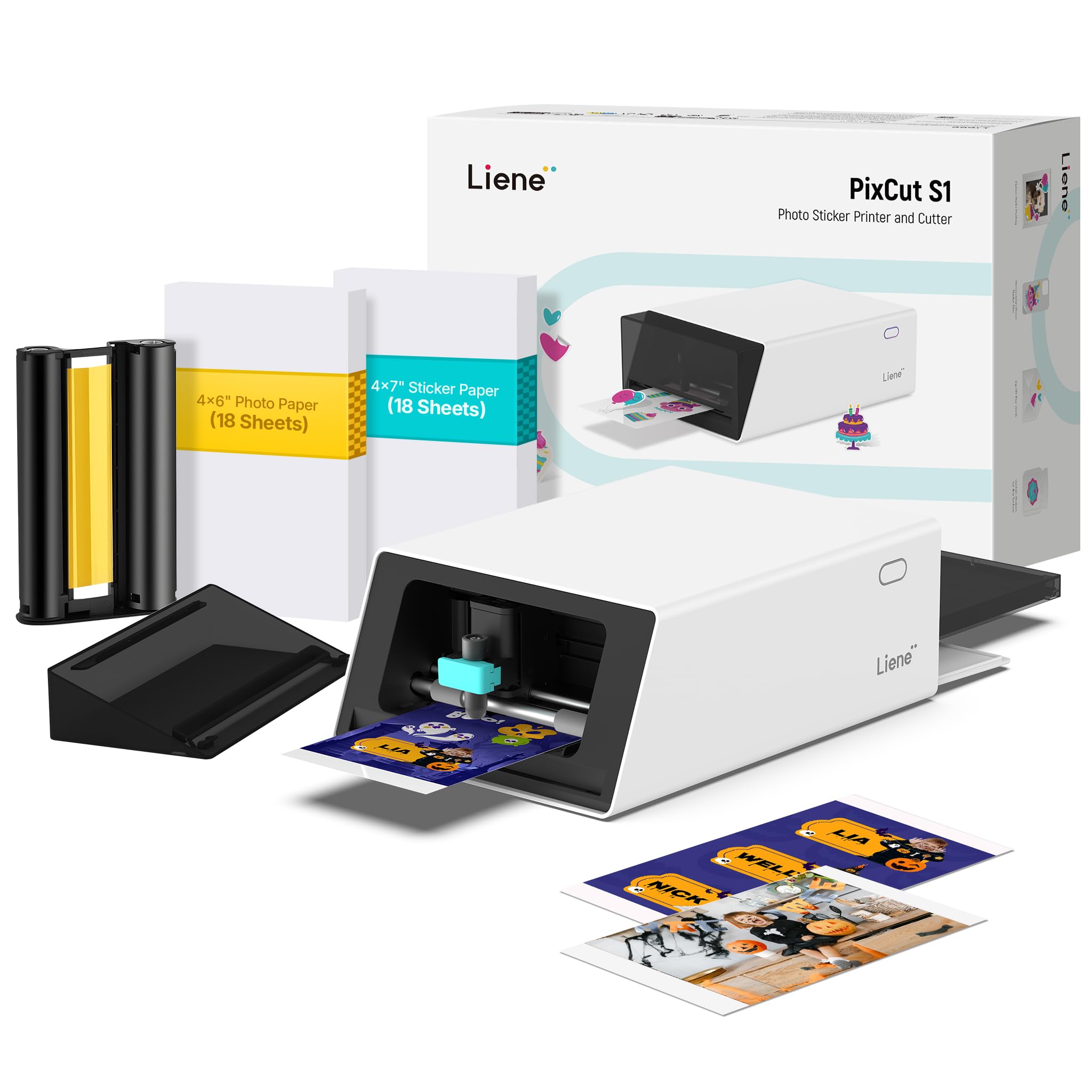
The Liene PixCut S1 combines a color photo printer and sticker cutter for people who want to turn photos and designs into finished stickers from a phone or computer.
This Liene PixCut S1 Color Sticker Printer & Cutting Machine review looks at its all-in-one workflow, creative tools and the practical tradeoffs to weigh before buying.
Liene PixCut Review Summary
The quick verdict
700+ ratings
Read Amazon ReviewsLiene PixCut S1
A fit for crafters and label makers who want phone-guided, full-color sticker printing and cutting in one compact device.
- All-in-one color photo printing and die cutting, with editing and operation through the Liene app.
- Bluetooth connectivity for creating from a smartphone.
- Thermal dye-sublimation printing at 300 dpi, with output specified as color and 16.7 million colors.
- AI image extraction to identify and separate subjects from photos, followed by AI-guided cutting.

Pros
- Combines printing and cutting, avoiding the need to move a project between separate machines.
- Photo-oriented dye-sublimation output and automatic lamination suit colorful custom stickers and labels.
Consider before buying
- It is a specialized sticker and photo-making device; buyers looking for a general-purpose printer should check whether its output types cover their routine.
- The app-centered workflow may be less appealing to people who prefer designing and controlling projects entirely on a computer.
Read the full review summary
The PixCut S1 is designed to take a project from image editing to printed, cut sticker in one device.
Its Bluetooth app workflow, AI subject extraction and automatic cutting are aimed at reducing the steps between choosing an image and making a finished piece.
Dye-sublimation printing at 300 dpi, with automatic lamination, is intended for colorful creations that can handle everyday contact with water and scratches.
It may suit hobby crafters, journalers, gift makers and anyone who often makes custom labels or photo stickers.
The app includes templates and a large library of creative assets without a subscription, and its AI Lab offers one-click image styles.
The key fit question is whether you want this dedicated, mobile-friendly sticker workflow; buyers who need a general-purpose office printer or broader cutting setup should compare their requirements carefully.
The buying factors
Liene PixCut Scorecard
Editorial scores reflect listed features and buyer fit; they are not laboratory measurements or customer ratings.
Print-and-cut workflow
Printing and die cutting are combined in one device, with smartphone editing and Bluetooth connection.
Image detail
The 300 dpi dye-sublimation output is a strong fit for photo stickers and colorful labels.
Creative tools
AI image extraction, AI Lab styles, templates and a sizable free asset library offer multiple starting points.
Sticker durability
Automatic lamination is designed to produce stickers described as waterproof and scratch-resistant.
Ease of entry
The app-based workflow and ready-to-use designs can help people start without design experience.
Portability and footprint
At 6.2 pounds and about 11 by 7.7 by 4.1 inches, it is a dedicated desktop device that can be moved as needed.
Key Features and Specifications of Liene PixCut
- All-in-one color photo printing and die cutting, with editing and operation through the Liene app.
- Bluetooth connectivity for creating from a smartphone.
- Thermal dye-sublimation printing at 300 dpi, with output specified as color and 16.7 million colors.
- AI image extraction to identify and separate subjects from photos, followed by AI-guided cutting.
- Four-layer dye-sublimation printing automatically laminates the paper; stickers are described as waterproof and scratch-resistant.
- The app works on mobile, tablet and desktop, and includes more than 50,000 free images, fonts and elements plus over 10,000 templates, with no subscription.
- The device weighs 6.2 pounds and measures approximately 11 inches deep, 7.7 inches wide and 4.1 inches high.
Pros and Cons of Liene PixCut
Pros
- Combines printing and cutting, avoiding the need to move a project between separate machines.
- Photo-oriented dye-sublimation output and automatic lamination suit colorful custom stickers and labels.
- AI subject extraction and guided cutting can simplify turning a photo into a cutout design.
- A large collection of templates and creative assets provides ready-made starting points without a subscription.
Consider before buying
- It is a specialized sticker and photo-making device; buyers looking for a general-purpose printer should check whether its output types cover their routine.
- The app-centered workflow may be less appealing to people who prefer designing and controlling projects entirely on a computer.
- The description does not specify the size range or material compatibility for cuts, so check these details against the projects you plan to make.
Who Should Buy Liene PixCut?
Good fit
Consider the PixCut S1 if you regularly make photo stickers, custom labels, journal decorations or small creative gifts and want printing and cutting in one workflow.
Its AI tools and template library give beginners ways to start with existing images or ready-made designs, while the app also supports editing from mobile, tablet and desktop.
It is also worth considering if finished stickers need to stand up to routine handling.
The automatic laminate layer is designed to make prints waterproof and scratch-resistant, which is useful for labels and other items that may encounter moisture or friction.
Match the intended use to the specific sticker materials and care conditions you have in mind.
Before buying, check the supported cut sizes and materials for your projects and confirm that the app workflow suits how you like to create.
That will help determine whether this dedicated printer-cutter earns its space in your craft area.
Who should skip it
Skip it if your main need is a conventional home or office printer for documents, or if you need a cutting system for materials beyond the sticker projects described here.
Verify the supported output and cutting range before relying on it for a particular project.
It may also be a poor fit if you do not want to use a companion app or would rarely make custom stickers; the device’s strongest features center on app-guided creative printing and cutting.
How the Liene PixCut Fits a Sticker-Making Setup
A single path from image to cutout
Combining printing and die cutting means a design can move through one device after editing in the app.
AI extraction is aimed at separating a subject from its background, and the cutting system is described as following the resulting edges.
This workflow is most relevant for photo-based stickers and other designs where a shaped outline is part of the finished look.
Dye-sublimation for colorful designs
The printer uses thermal dye-sublimation at 300 dpi and lists 16.7 million colors. That makes it oriented toward photo-like, full-color stickers and labels rather than a narrowly monochrome marking task.
Automatic lamination is integrated into printing, with the resulting stickers described as waterproof and scratch-resistant; buyers should still consider the conditions their finished pieces will face.
Creative software without a recurring plan
The app provides AI styles, more than 50,000 free images, fonts and elements, and over 10,000 templates without a subscription. Those resources could shorten the path to a first project and give frequent makers varied starting points.
Buyers who already have an established design process should check that the app’s editing and template options fit their preferred workflow.
Space and project fit
The PixCut S1 measures about 11 by 7.7 by 4.1 inches and weighs 6.2 pounds. It is small enough to relocate between projects, though it remains a dedicated desktop appliance that needs a stable work surface during use.
Since the supplied specifications do not define cut dimensions or compatible materials, check those limits before planning larger or unusual projects.
Alternatives to Liene PixCut
No alternative model is recommended here. Compare the design and features that matter to your routine before choosing another option.
Is Liene PixCut Worth It?
The Liene PixCut S1 is worth considering for crafters who want a focused way to print and cut colorful custom stickers, labels and photo projects.
Its integrated workflow, AI-assisted tools and no-subscription creative library make it approachable for occasional makers as well as people who create regularly.
Its fit depends on the projects you make: confirm the supported cut sizes and materials, and make sure the app-based process suits your working style.
If those details align with your needs, the PixCut S1 brings the core steps of custom sticker making together in one device.
Your review at a glance
700+ ratings
Read Amazon ReviewsLiene PixCut S1
A fit for crafters and label makers who want phone-guided, full-color sticker printing and cutting in one compact device.
- All-in-one color photo printing and die cutting, with editing and operation through the Liene app.
- Bluetooth connectivity for creating from a smartphone.
- Thermal dye-sublimation printing at 300 dpi, with output specified as color and 16.7 million colors.
- AI image extraction to identify and separate subjects from photos, followed by AI-guided cutting.