The SABRENT 10-Port Powered USB 3.0 Hub review is for people looking to organize a busy desk with multiple wired peripherals, storage devices, and charging needs.
Its mix of data ports, dedicated charging ports, individual switches, and a substantial external adapter makes it a better fit for a stationary setup than a minimalist travel kit.
SABRENT 10-Port Hub Review Summary
The quick verdict
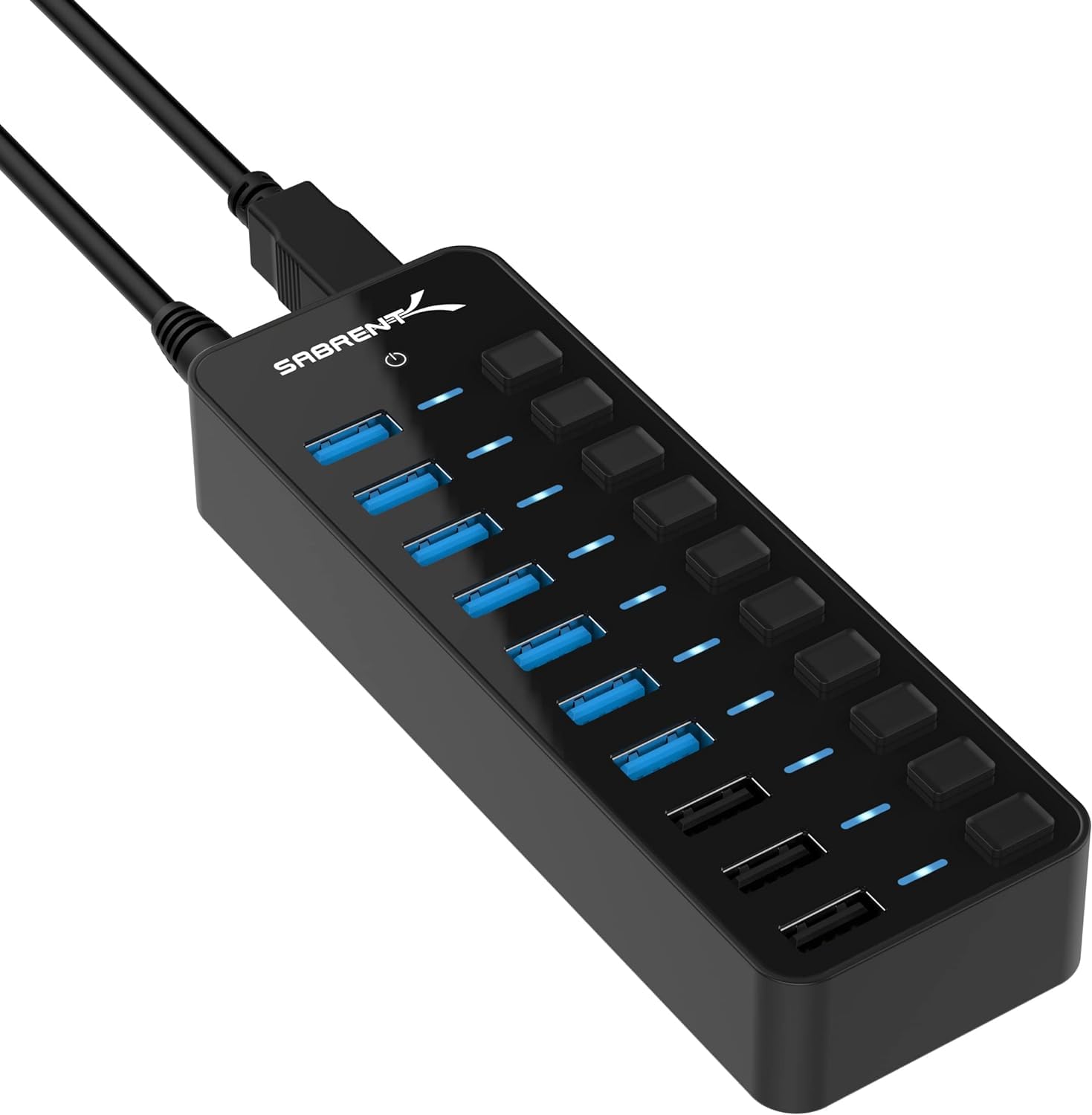
6,000+ ratings
Read Amazon ReviewsSABRENT 10-Port Powered USB 3.0 Hub
A powered desktop hub for people who need to connect several USB devices, control ports individually, and charge a few mobile devices.
- Connects up to seven USB 3.0 devices at once.
- Supports transfer speeds up to 5Gbps for compatible drives, peripherals, and accessories.
- Includes three dedicated smart charging ports that auto-detect devices and deliver up to 2.4A per port.
- Comes with a 60W, 12V/5A power adapter for external power.

Pros
- Combines multiple USB 3.0 data connections with separate charging ports in one hub.
- Individual switches let you manage connections port by port.
Consider before buying
- The seven-device figure applies to USB 3.0 connections; charging is handled by three separate ports, so buyers should map their devices to the right connections.
- The external adapter and the hub’s multiple cables make it more suited to a fixed desk than a compact, cable-light travel setup.
Read the full review summary
This hub brings a large number of connections into one desktop accessory: it can connect up to seven USB 3.0 devices at once, while three separate smart charging ports are designed for phones, tablets, and other USB-powered devices.
For a desk with regularly attached accessories, the per-port switches and LEDs can make it easier to see which connections are active and turn off individual ports when they are not needed.
Its strongest appeal is practical flexibility rather than a single standout feature. The included 60W, 12V/5A adapter supplies external power, and the data ports support transfer speeds up to 5Gbps.
Buyers should still distinguish the seven-device USB 3.0 capacity from the three charging ports, and consider whether a powered hub with this many connections suits their space and routine.
The buying factors
SABRENT 10-Port Hub Scorecard
Editorial scores reflect listed features and buyer fit; they are not laboratory measurements or customer ratings.
Connection capacity
Up to seven USB 3.0 devices can be connected, with three additional dedicated charging ports for a desk that serves several devices.
Data transfer potential
The listed maximum of 5Gbps suits compatible USB 3.0 devices, though actual transfers depend on the connected equipment and workload.
Charging flexibility
Three smart charging ports detect devices and deliver up to 2.4A per port, which is useful for compatible phones and tablets.
Port control
Individual power switches and LED indicators give each port a visible, separately controlled connection.
Power setup
The included 60W adapter is intended to support the hub across its ports, but requires a nearby power outlet and desk space.
Setup compatibility
Plug-and-play operation with Windows, macOS, and Linux avoids a driver installation step for common computer setups.
Key Features and Specifications of SABRENT 10-Port Hub
- Connects up to seven USB 3.0 devices at once.
- Supports transfer speeds up to 5Gbps for compatible drives, peripherals, and accessories.
- Includes three dedicated smart charging ports that auto-detect devices and deliver up to 2.4A per port.
- Comes with a 60W, 12V/5A power adapter for external power.
- Each port has an individual power switch and LED indicator.
- Designed for plug-and-play use with Windows, macOS, and Linux, without drivers.
Pros and Cons of SABRENT 10-Port Hub
Pros
- Combines multiple USB 3.0 data connections with separate charging ports in one hub.
- Individual switches let you manage connections port by port.
- LED indicators make port status easier to check at a glance.
- Includes an external power adapter and supports common desktop operating systems without drivers.
Consider before buying
- The seven-device figure applies to USB 3.0 connections; charging is handled by three separate ports, so buyers should map their devices to the right connections.
- The external adapter and the hub’s multiple cables make it more suited to a fixed desk than a compact, cable-light travel setup.
- The 5Gbps figure is a maximum; transfer speed also depends on the connected device and task.
Who Should Buy SABRENT 10-Port Hub?
Good fit
Consider this model if your computer setup regularly needs several USB connections at once and you value being able to switch each port independently.
It may be especially convenient when drives and accessories stay plugged in, while the separate charging ports handle compatible phones or tablets without taking up the data connections.
It also makes sense if you want a powered desktop hub rather than relying on a small bus-powered accessory.
Before buying, count which devices need data connections and which only need charging, check that the adapter can reach a convenient outlet, and confirm that the hub’s footprint and cables work with your desk.
Who should skip it
Look elsewhere if you only need one or two extra connections and want a small accessory to carry with a laptop. The external adapter and larger port count are likely more than that simpler routine needs.
This is not the right fit if your setup depends on more than seven USB 3.0 devices connected at once, or if you need charging ports to serve as computer data connections.
Match the port type to each device before choosing.
How the SABRENT 10-Port Hub Fits a Busy Desk
Separating data from charging
The hub serves two related but distinct jobs. Up to seven USB 3.0 devices can connect for data and peripherals, while three dedicated smart charging ports are intended for charging USB-powered devices.
That division can keep a mixed desk organized, but it is worth planning which devices need computer access and which only need power.
What the transfer-rate maximum means
The listed transfer rate reaches up to 5Gbps, a useful ceiling for compatible USB 3.0 equipment such as external drives.
It is not a promise that every transfer will run at that speed: the connected device, cable, computer, and type of work all affect the result.
Buyers moving large files may want to check that their computer and storage devices support the relevant USB 3.0 speeds.
Why per-port switches matter
Individual power switches give users a direct way to turn a connection off without unplugging it, while the LEDs provide a quick visual status check.
This is useful when devices are left connected between tasks, or when a desk has enough peripherals that tracing cables becomes inconvenient.
The control is local to each port, so it can support a tidier routine without changing the rest of the setup.
Planning a powered desktop installation
The included 60W adapter gives the hub its own power connection, making the design appropriate for an established workstation with several attached devices. That also means accounting for an outlet, adapter placement, and cable routing.
The plug-and-play support for Windows, macOS, and Linux is convenient, but buyers should still confirm the computer has an available compatible USB connection for the hub.
Alternatives to SABRENT 10-Port Hub
USB Hubs alternative
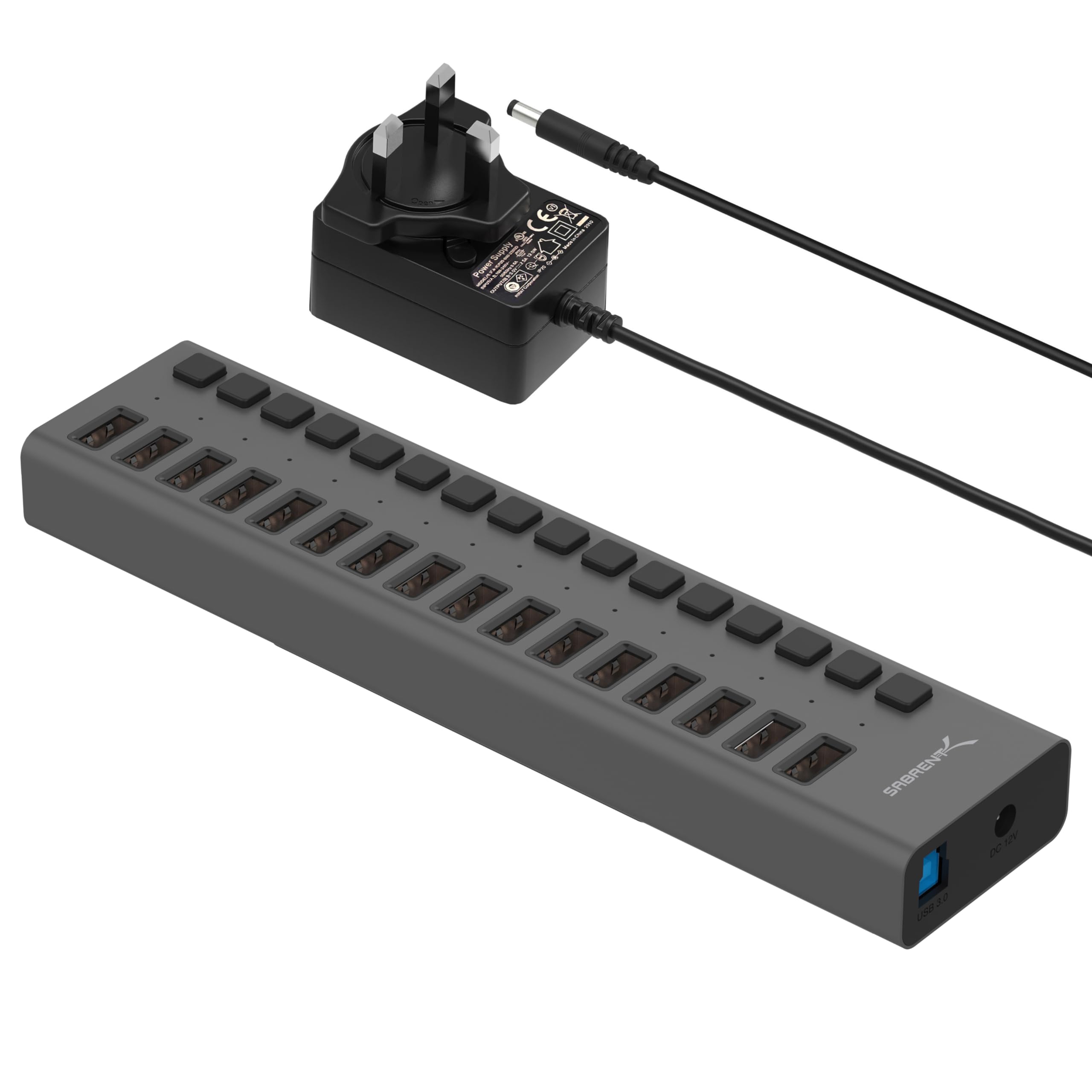
1,000+ ratings
Read Amazon ReviewsSABRENT 16-Port USB 3.0 Data Hub and Charger
Choose the main hub if three dedicated charging ports and a more compact connection count suit your desk.
Consider the 16-port model if your primary need is connecting substantially more USB peripherals, and check its power arrangement against your setup before deciding.
- This 16-port model offers sixteen USB 3.0 ports, individual power switches, and blue LED power indicators; its data transfer speeds are listed up to 5Gbps.
- The main hub connects up to seven USB 3.0 devices and includes three separate charging ports, plus individual switches and indicators.
USB Hubs alternative
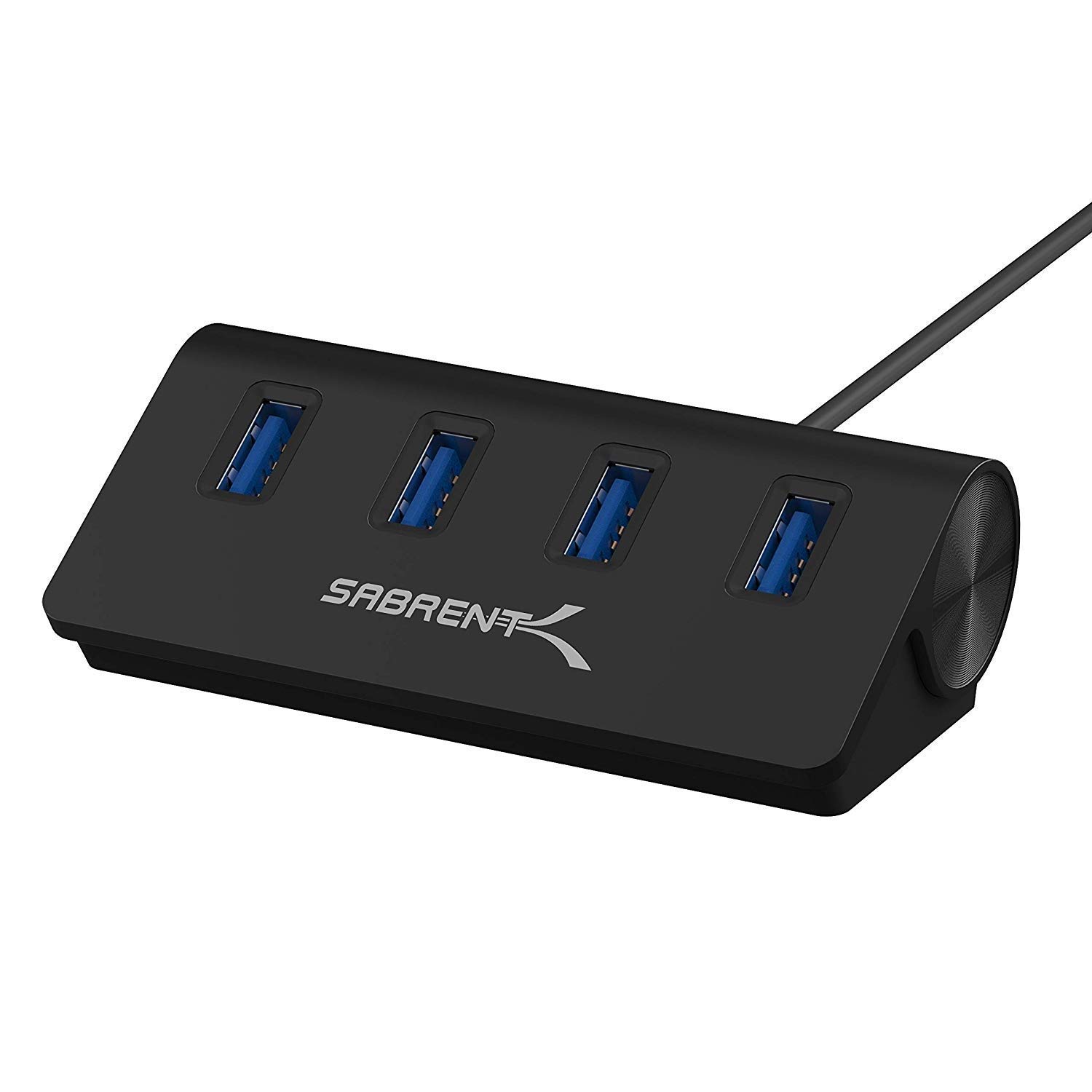
2,000+ ratings
Read Amazon ReviewsSABRENT 4-Port Aluminum USB 3.0 Hub
The main hub fits a multi-device desk that benefits from separate charging and port control. The four-port model may suit someone who needs fewer USB 3.0 connections and values a portable hub with a longer cable.
- This four-port model is a portable USB 3.0 data hub with a 2.5-foot cable and support for speeds up to 5Gbps; its supplied description does not specify dedicated charging ports or individual switches.
- The main product is a powered desktop hub with up to seven USB 3.0 device connections, three charging ports, and individual port switches.
Is SABRENT 10-Port Hub Worth It?
The SABRENT 10-Port Powered USB 3.0 Hub is worth considering for a fixed workstation that needs several active USB connections alongside a few dedicated charging ports.
Its 5Gbps maximum, included power adapter, and individual switches make it a flexible way to consolidate peripherals and manage them visibly.
Buy it if the combination of up to seven USB 3.0 devices and three charging ports matches your actual device mix, and you have room for a powered hub at your desk.
If portability or a much larger data-only port count matters more, compare designs built around those priorities.
Your review at a glance
6,000+ ratings
Read Amazon ReviewsSABRENT 10-Port Powered USB 3.0 Hub
A powered desktop hub for people who need to connect several USB devices, control ports individually, and charge a few mobile devices.
- Connects up to seven USB 3.0 devices at once.
- Supports transfer speeds up to 5Gbps for compatible drives, peripherals, and accessories.
- Includes three dedicated smart charging ports that auto-detect devices and deliver up to 2.4A per port.
- Comes with a 60W, 12V/5A power adapter for external power.