The SteelSeries Apex 3 TKL is a tenkeyless gaming keyboard built around quiet switches, customizable lighting, and a compact footprint.
This steelseries apex 3 tkl review looks at how those features fit players who want more room for mouse movement and do not need a number pad.
Apex 3 TKL Review Summary
The quick verdict
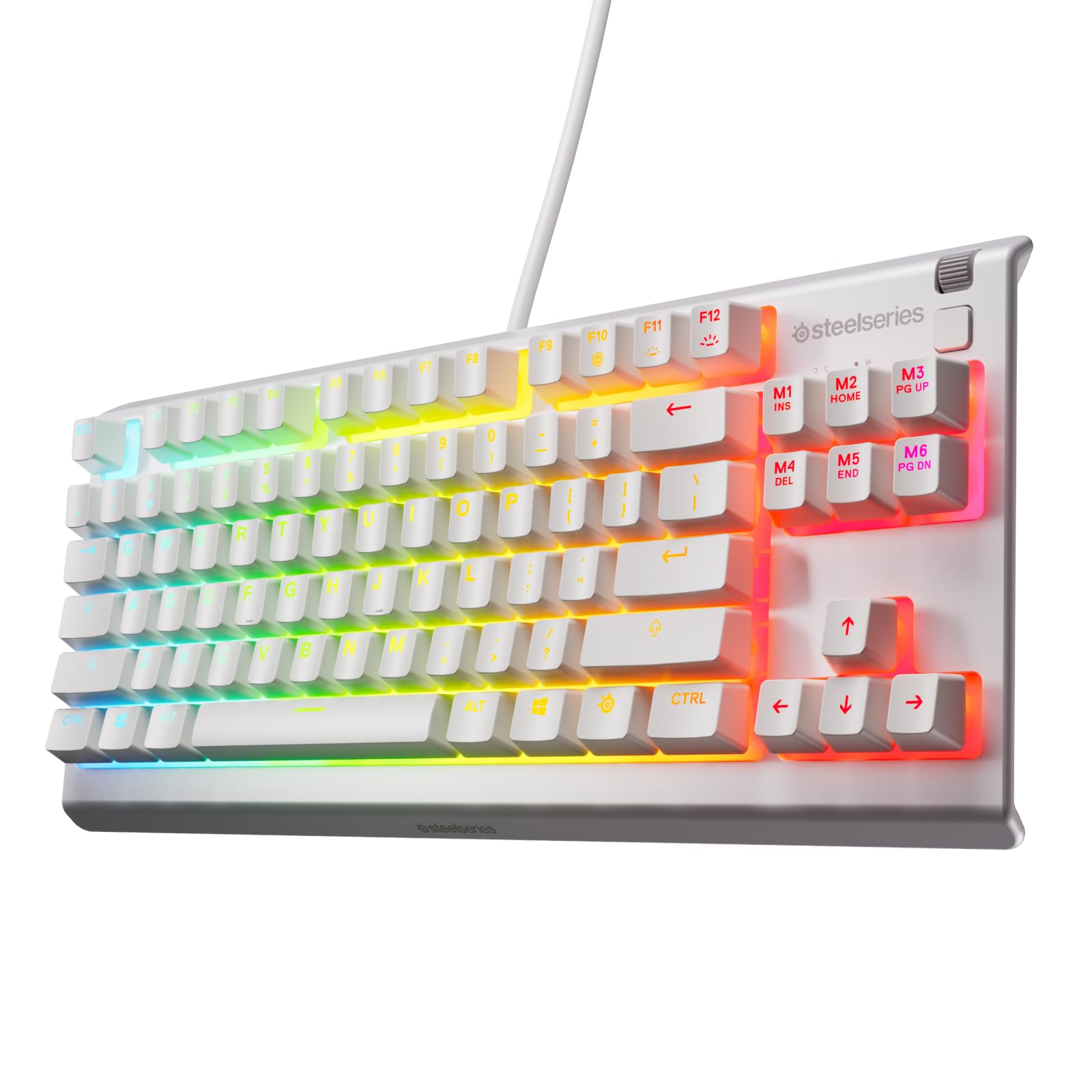
2,000+ ratings
Read Amazon ReviewsSteelSeries Apex 3 TKL
A compact wired gaming keyboard for players who want quiet switches, customizable lighting, and a tenkeyless layout that frees desk space.
- Tenkeyless layout omits the number pad to create a compact keyboard footprint.
- Anti-ghosting keys are included for gaming inputs.
- Water- and dust-resistant design is intended to protect against splashes and dust.
- Whisper-quiet gaming switches are designed for nearly silent use and rated for 20 million low-friction keypresses.

Pros
- Compact size can free up desk space for a mouse and other essentials.
- Quiet switch design suits gaming in shared rooms or at times when keyboard noise matters.
Consider before buying
- The tenkeyless layout leaves out a dedicated number pad, which may be inconvenient for frequent number entry.
- Eight-zone lighting is described, but the available feature details do not explain the full range of control or customization.
Read the full review summary
The Apex 3 TKL focuses on practical gaming essentials: a compact layout, anti-ghosting keys, eight-zone RGB illumination, and switches designed for quiet use.
Its splash- and dust-resistant design adds a layer of protection for everyday desk use, while the stated 20-million-keypress lifespan gives buyers a sense of the switch durability target.
This keyboard is a natural fit for gaming setups where desk space matters or where louder key presses would be distracting.
Its appeal is less clear for people who rely on a dedicated number pad or want advanced adjustable switch behavior; the product’s described strengths center on a straightforward, compact experience.
The buying factors
Apex 3 TKL Scorecard
Editorial scores reflect listed features and buyer fit; they are not laboratory measurements or customer ratings.
Space-saving layout
The tenkeyless design removes the number pad to leave a more compact footprint and room for mouse movement.
Quiet typing profile
The switches are designed for nearly silent use, a useful fit for shared or quieter gaming spaces.
Gaming key handling
Anti-ghosting keys support simultaneous inputs, which can be useful during games that combine multiple key presses.
Lighting flexibility
Eight-zone RGB illumination allows color schemes and reactive effects, though the description does not detail customization options.
Everyday resilience
Water and dust resistance is intended to help protect against splashes and dust, but it should not be treated as a reason to expose the keyboard to liquids.
Simplicity
The listed features make the board easy to understand as a compact gaming keyboard without requiring buyers to navigate a long set of specialized functions.
Key Features and Specifications of Apex 3 TKL
- Tenkeyless layout omits the number pad to create a compact keyboard footprint.
- Anti-ghosting keys are included for gaming inputs.
- Water- and dust-resistant design is intended to protect against splashes and dust.
- Whisper-quiet gaming switches are designed for nearly silent use and rated for 20 million low-friction keypresses.
- Eight-zone RGB illumination supports color schemes and reactive effects.
Pros and Cons of Apex 3 TKL
Pros
- Compact size can free up desk space for a mouse and other essentials.
- Quiet switch design suits gaming in shared rooms or at times when keyboard noise matters.
- Anti-ghosting addresses a practical gaming need for concurrent key presses.
- Splash and dust resistance adds reassurance for ordinary desk use.
Consider before buying
- The tenkeyless layout leaves out a dedicated number pad, which may be inconvenient for frequent number entry.
- Eight-zone lighting is described, but the available feature details do not explain the full range of control or customization.
- The feature set is centered on a straightforward gaming keyboard, so buyers seeking adjustable actuation or other advanced switch behavior should confirm that their desired controls are included before choosing it.
Who Should Buy Apex 3 TKL?
Good fit
Consider the Apex 3 TKL if you want a gaming keyboard with a smaller footprint and value quiet key presses.
The tenkeyless form makes particular sense when your mouse needs more room or your desk is shared with work and other equipment.
Its core features also suit buyers who want anti-ghosting and RGB lighting without making specialized switch adjustments the focus.
The splash- and dust-resistant design is a helpful extra for everyday use, while still calling for normal care around drinks and debris.
Before buying, make sure you can comfortably work without a number pad. If you rely on one for spreadsheets, data entry, or shortcuts, the compact layout may cost more convenience than it gives back in desk space.
Who should skip it
Skip this layout if a dedicated number pad is central to your daily typing or gaming setup. The compact form achieves its space savings by omitting that section.
Look elsewhere if your priority is fine control over actuation or advanced per-game switch behavior. Those capabilities are not among the features described for this model, so check a product that explicitly lists the controls you need.
How the Apex 3 TKL Fits a Compact Gaming Setup
Tenkeyless sizing and desk space
Removing the number pad shortens the overall keyboard layout and can leave more room beside it for mouse movement.
That can be useful in a constrained setup, but the tradeoff is concrete: buyers who enter numbers often should consider how much they depend on a separate keypad.
Quiet switches for shared spaces
The switches are described as whisper-quiet and intended for nearly silent use.
That design can make the keyboard a more considerate choice in a shared room, though typing feel is personal; if possible, try a similar quiet-switch board before committing to a long-term daily keyboard.
Anti-ghosting for simultaneous inputs
Anti-ghosting is relevant when a game asks for several keys to be pressed together, since it is designed to support those combined inputs.
It is a focused gaming feature rather than a measure of all-around typing comfort, so consider it alongside the layout and switch sound.
Lighting and protection in daily use
Eight-zone RGB makes it possible to set color schemes and reactive effects across sections of the keyboard.
The water- and dust-resistant design may offer some protection from ordinary splashes and dust, but buyers should keep liquids away from the board and clean it according to its care guidance.
Alternatives to Apex 3 TKL
Computer Keyboards alternative
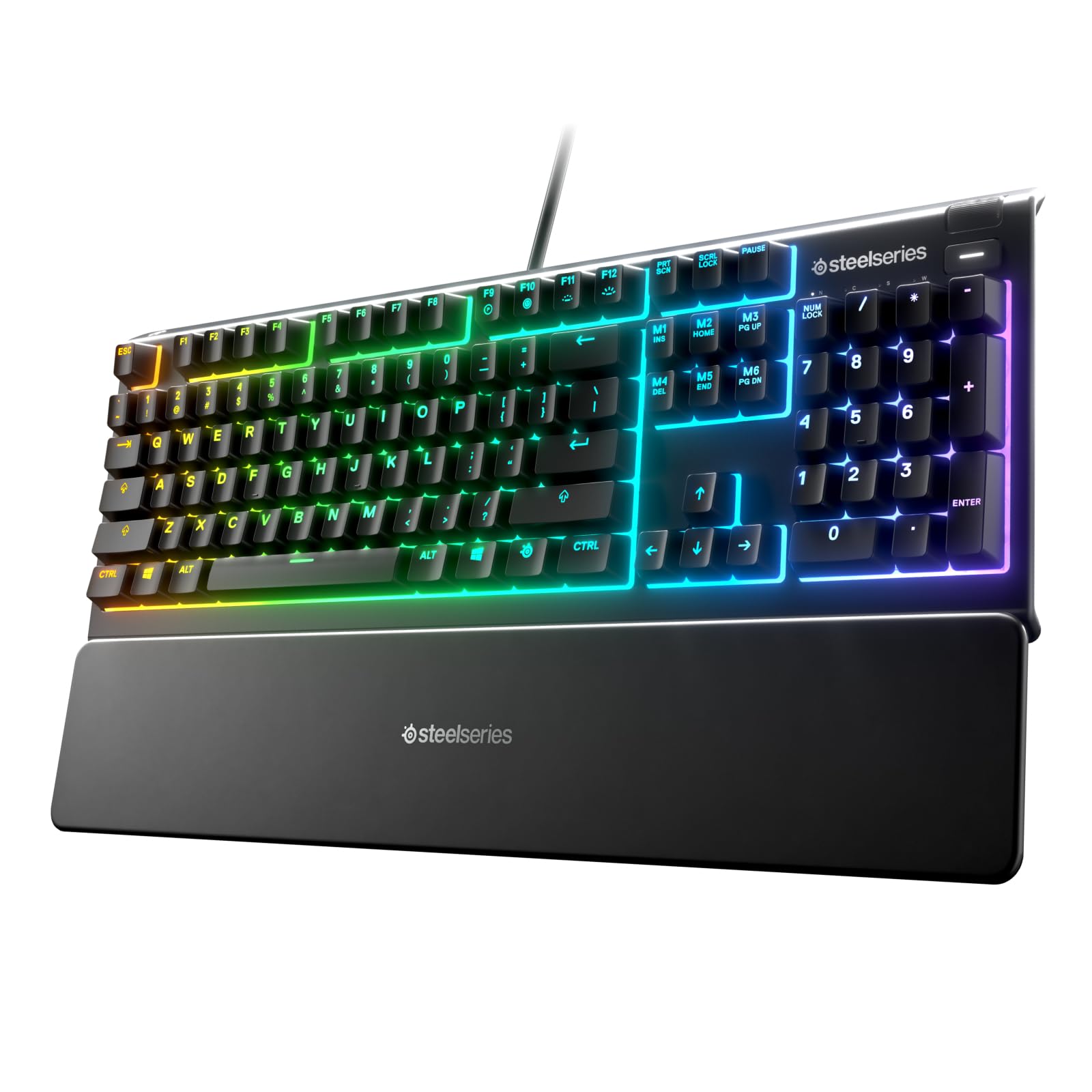
8,000+ ratings
Read Amazon ReviewsSteelSeries Apex 3
Choose the Apex 3 if you want the same quiet-switch focus but prefer a number pad, wrist rest, and dedicated multimedia controls.
The Apex 3 TKL is the better fit when a more compact layout and extra desk room matter more.
- The Apex 3 is a full-size design with ten-zone RGB lighting, a magnetic wrist rest, dedicated multimedia controls, and whisper-quiet switches rated for 20 million low-friction keypresses.
- Its description lists IP32 water resistance.
- The Apex 3 TKL uses a compact tenkeyless layout, eight-zone RGB lighting, and quiet gaming switches.
Computer Keyboards alternative
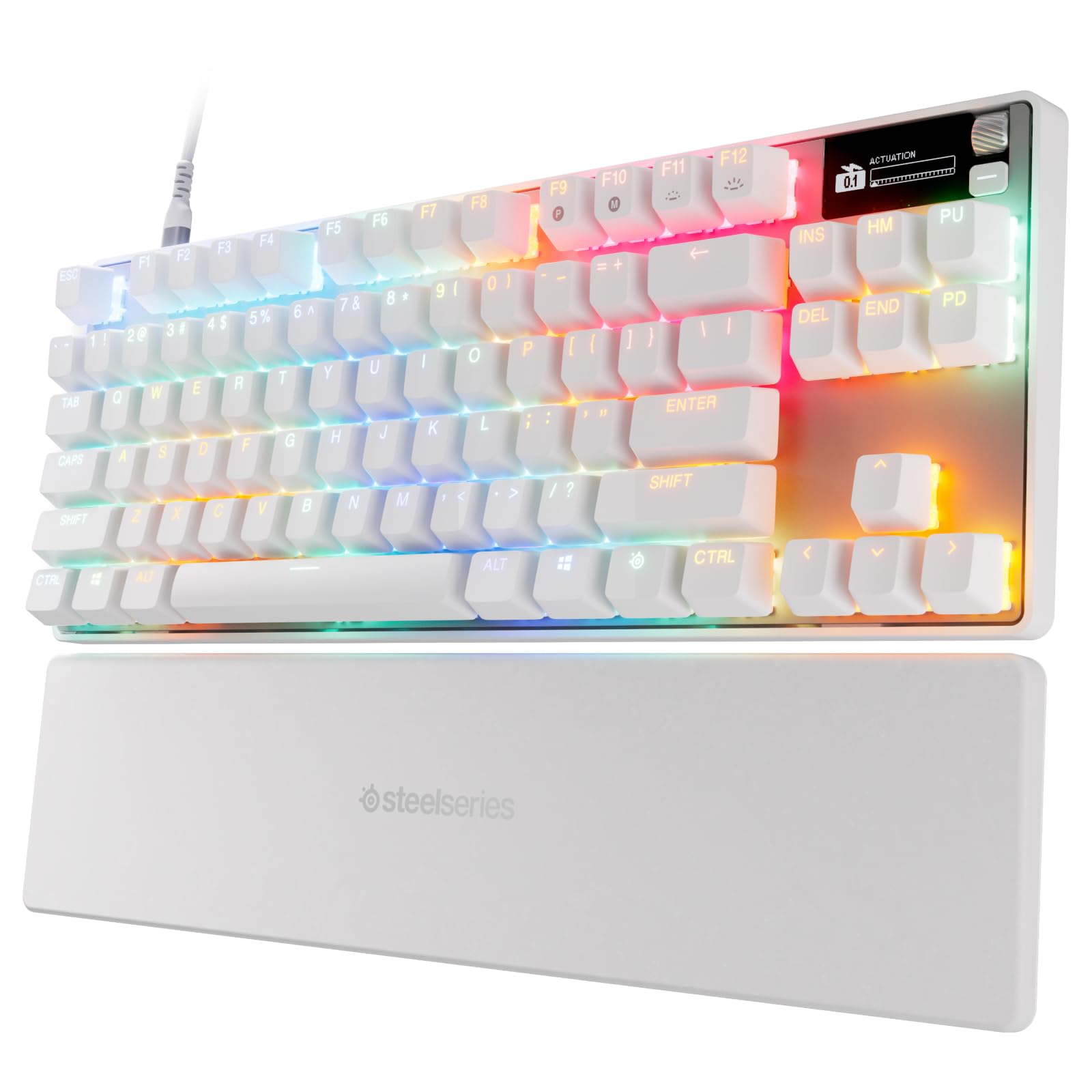
500+ ratings
Read Amazon ReviewsSteelSeries Apex Pro TKL Gen 3
Choose the Apex Pro TKL Gen 3 if adjustable actuation and its listed gaming controls are priorities.
The Apex 3 TKL better matches buyers who want a simpler compact board with a quiet-switch focus rather than those advanced controls.
- The Apex Pro TKL Gen 3 has OmniPoint 3.0 analog magnetic switches with 40 actuation levels from 0.1 mm to 4.0 mm, plus Rapid Trigger, Rapid Tap, Protection Mode, Quickset auto-presets, an OLED display, and PBT keycaps.
- The Apex 3 TKL emphasizes quiet switches, anti-ghosting, eight-zone lighting, and a compact layout.
Is Apex 3 TKL Worth It?
The SteelSeries Apex 3 TKL is worth considering if your priorities are a space-saving layout, quiet switches, and core gaming features such as anti-ghosting.
Its RGB lighting and splash- and dust-resistant design round out a practical feature set for a compact desk.
The main decision is whether the tenkeyless layout works for you.
If you need a number pad or want detailed switch adjustment, choose a design that directly supports those needs; otherwise, the Apex 3 TKL offers a focused balance of compact sizing and quiet use.
Your review at a glance
2,000+ ratings
Read Amazon ReviewsSteelSeries Apex 3 TKL
A compact wired gaming keyboard for players who want quiet switches, customizable lighting, and a tenkeyless layout that frees desk space.
- Tenkeyless layout omits the number pad to create a compact keyboard footprint.
- Anti-ghosting keys are included for gaming inputs.
- Water- and dust-resistant design is intended to protect against splashes and dust.
- Whisper-quiet gaming switches are designed for nearly silent use and rated for 20 million low-friction keypresses.