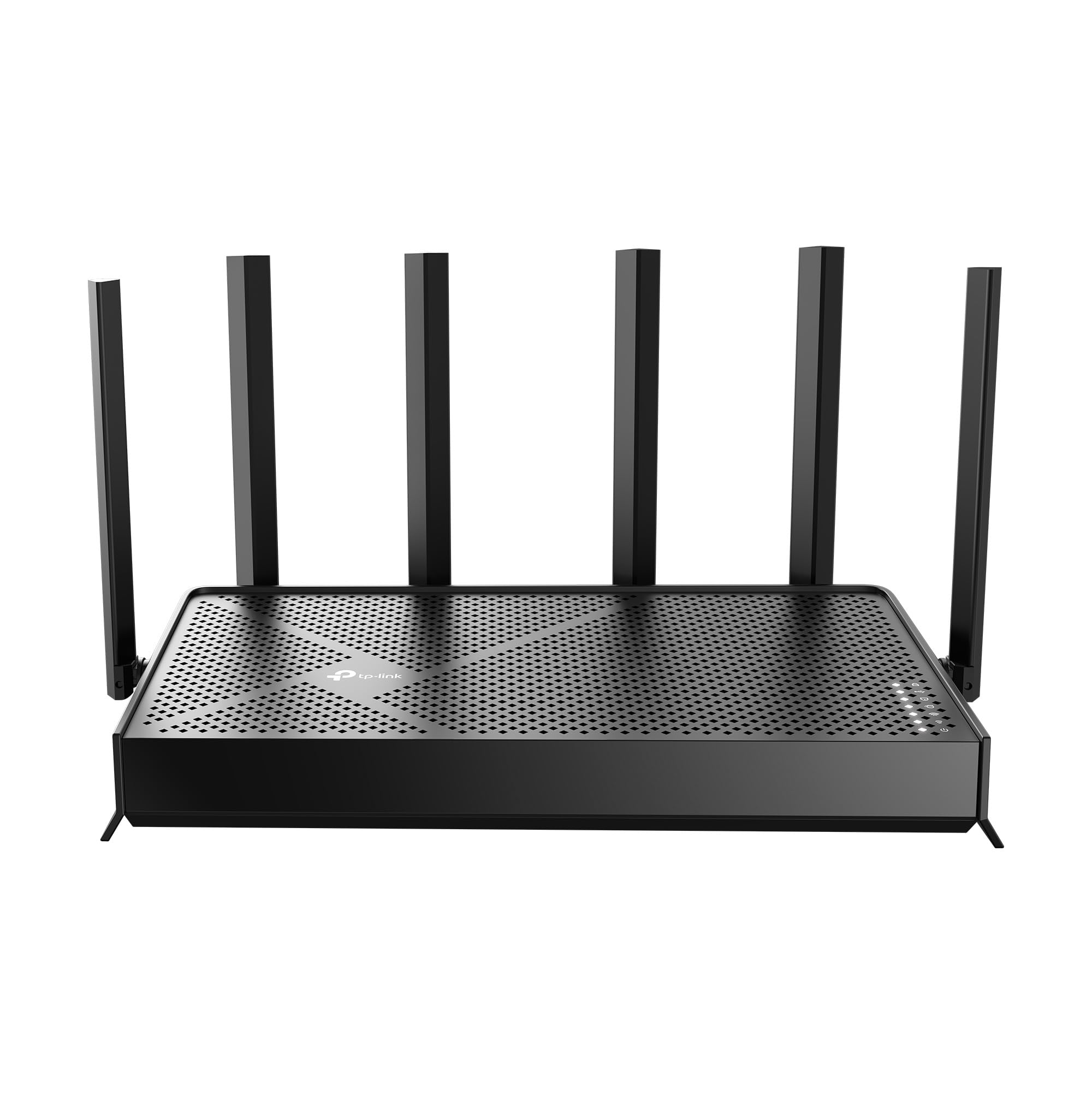
The TP-Link Archer BE600 pairs tri-band Wi-Fi 7 with a generous set of multi-gigabit ports, giving busy connected homes room to grow.
This TP-Link Tri-Band BE9700 WiFi 7 Router review looks at where its high wireless capacity and wired flexibility make sense, and where its full feature set may be more than a household needs.
Archer BE600 Review Summary
The quick verdict
600+ ratings
Read Amazon ReviewsTP-Link Archer BE600
A strong fit for homes with Wi-Fi 7 devices, multi-gig internet, and several wired connections to support.
- Tri-band Wi-Fi 7 with maximum listed rates of 5,765 Mbps on 6 GHz, 2,882 Mbps on 5 GHz and 1,032 Mbps on 2.4 GHz.
- Wi-Fi 7 support for Multi-Link Operation, Multi-RUs, 4K-QAM and channel widths up to 320 MHz.
- One 10 Gbps WAN/LAN port, one 2.5 Gbps WAN/LAN port and three 2.5 Gbps LAN ports.
- Coverage listed up to 2,600 square feet and support for up to 120 devices, with six antennas and beamforming.

Pros
- Three wireless bands, including 6 GHz, and a broad set of Wi-Fi 7 features.
- Multiple multi-gigabit ports give both the internet connection and wired equipment room beyond a single gigabit link.
Consider before buying
- The router’s faster Wi-Fi 7 features are most useful when client devices support them; older devices cannot take full advantage of them.
- Its 10 Gbps and 2.5 Gbps ports only add practical value when the modem, internet plan or wired devices can use multi-gigabit connections.
Read the full review summary
The Archer BE600 is built around three Wi-Fi bands, including 6 GHz, and supports Wi-Fi 7 features such as Multi-Link Operation, Multi-RUs, 4K-QAM and channels up to 320 MHz.
Its stated maximum link rates are 5,765 Mbps on 6 GHz, 2,882 Mbps on 5 GHz and 1,032 Mbps on 2.4 GHz.
Those figures describe the router’s band capabilities; the connection a device gets depends on its own support and the conditions in the home.
The hardware also stands out for wired networking: it has one 10 Gbps WAN/LAN port, one 2.5 Gbps WAN/LAN port and three 2.5 Gbps LAN ports.
TP-Link lists coverage up to 2,600 square feet and support for up to 120 devices, along with app and web setup, HomeShield features and VPN client and server support.
It suits buyers who can use those capabilities, especially multi-gig subscribers and homes with compatible Wi-Fi 7 devices.
The buying factors
Archer BE600 Scorecard
Editorial scores reflect listed features and buyer fit; they are not laboratory measurements or customer ratings.
Wi-Fi 7 feature set
Tri-band operation, MLO, Multi-RUs, 4K-QAM and channels up to 320 MHz provide a broad set of current-generation wireless features.
Multi-gig wired flexibility
The mix of one 10 Gbps port and four 2.5 Gbps ports gives compatible internet service and wired devices several ways to connect at above-gigabit speeds.
Band capacity
Three bands, including 6 GHz, can help distribute compatible devices across more wireless capacity.
Large-home potential
The stated coverage is up to 2,600 square feet, with six antennas and beamforming. A home’s layout and obstacles still matter.
Connected-device headroom
Support for up to 120 devices may appeal to a crowded smart home, though device count alone does not describe the traffic load.
Network management and security tools
HomeShield features and VPN client/server support add useful controls for households that want them; buyers should check which specific features meet their needs.
Key Features and Specifications of Archer BE600
- Tri-band Wi-Fi 7 with maximum listed rates of 5,765 Mbps on 6 GHz, 2,882 Mbps on 5 GHz and 1,032 Mbps on 2.4 GHz.
- Wi-Fi 7 support for Multi-Link Operation, Multi-RUs, 4K-QAM and channel widths up to 320 MHz.
- One 10 Gbps WAN/LAN port, one 2.5 Gbps WAN/LAN port and three 2.5 Gbps LAN ports.
- Coverage listed up to 2,600 square feet and support for up to 120 devices, with six antennas and beamforming.
- Setup and management through the TP-Link Tether app for Android or iOS, or through a web interface.
- HomeShield network protection, parental controls and IoT security features, plus VPN client and server support.
Pros and Cons of Archer BE600
Pros
- Three wireless bands, including 6 GHz, and a broad set of Wi-Fi 7 features.
- Multiple multi-gigabit ports give both the internet connection and wired equipment room beyond a single gigabit link.
- A high stated device capacity and coverage target suit homes with many connected devices.
- VPN client and server support can simplify VPN use across home devices.
- App and web management provide two setup and control options.
Consider before buying
- The router’s faster Wi-Fi 7 features are most useful when client devices support them; older devices cannot take full advantage of them.
- Its 10 Gbps and 2.5 Gbps ports only add practical value when the modem, internet plan or wired devices can use multi-gigabit connections.
- Coverage figures are maximums, so buyers with thick walls, multiple floors or difficult layouts should plan around their actual placement and may need to check expansion options.
Who Should Buy Archer BE600?
Good fit
Consider the Archer BE600 if you have, or expect to add, Wi-Fi 7 devices and want a router with 6 GHz alongside the familiar 5 GHz and 2.4 GHz bands.
MLO, Multi-RUs and 4K-QAM are designed to make better use of compatible Wi-Fi 7 equipment, while the three-band layout gives a busy home more capacity to work with.
It is a particularly sensible match for a multi-gig setup. The 10 Gbps WAN/LAN port and four 2.5 Gbps ports can accommodate compatible service and wired equipment without forcing every connection through a gigabit port.
Before buying, check what speed your modem, service plan and wired devices support, and whether their port types match the connections you intend to make.
The listed reach and device capacity make it worth considering for a larger or more connected household, and HomeShield and VPN support add management options.
Think about where the router can sit in your home and which controls you actually want; those practical details will matter more than headline maximums.
Who should skip it
Skip this level of equipment if your internet service and connected devices are limited to basic gigabit or slower use, and you have no plans to add Wi-Fi 7 clients.
The multi-gig ports and newer wireless features may go largely unused in that setup.
If you need dependable coverage across a complex, multi-floor home, do not choose based on the stated area alone. Check the layout and likely router placement, and consider whether a compatible expansion approach would be needed.
What the Archer BE600’s Wi-Fi 7 and multi-gig design means
Three bands make room for compatible clients
The Archer BE600’s tri-band design separates traffic across 2.4 GHz, 5 GHz and 6 GHz, with the highest listed rate on the 6 GHz band.
That gives supported devices another band to use, but a device must support the relevant Wi-Fi capabilities to benefit.
Buyers with a mix of older and newer equipment can still connect older generations, though they will not gain Wi-Fi 7 features on those clients.
Multi-gig ports can shape the whole setup
A 10 Gbps WAN/LAN port plus four 2.5 Gbps ports is unusually useful when several parts of a home network need faster wired links.
The port layout offers flexibility for a compatible modem or other network connection and wired devices, but it does not itself increase the speed delivered by an internet plan.
Check the speed and port options on each device you intend to connect.
Coverage and device counts need context
The up-to 2,600-square-foot coverage figure and up-to-120-device capacity suggest the router is aimed at larger, busier homes.
They are planning guides rather than guarantees: walls, floors, placement, client capability and simultaneous activity influence what the network can support in practice.
For a challenging layout, evaluate the location where the router can be installed and whether your home needs additional coverage equipment.
Management features matter when you will use them
Tether app and web management cover the basics of setup and network control. HomeShield includes protection, parental-control and IoT-security features, while VPN client and server support may suit households that want VPN connections handled at router level.
If a particular security or VPN function is central to your decision, confirm that the available configuration matches your intended use.
Alternatives to Archer BE600
Computer Routers alternative
1,000+ ratings
Read Amazon ReviewsTP-Link Archer BE230
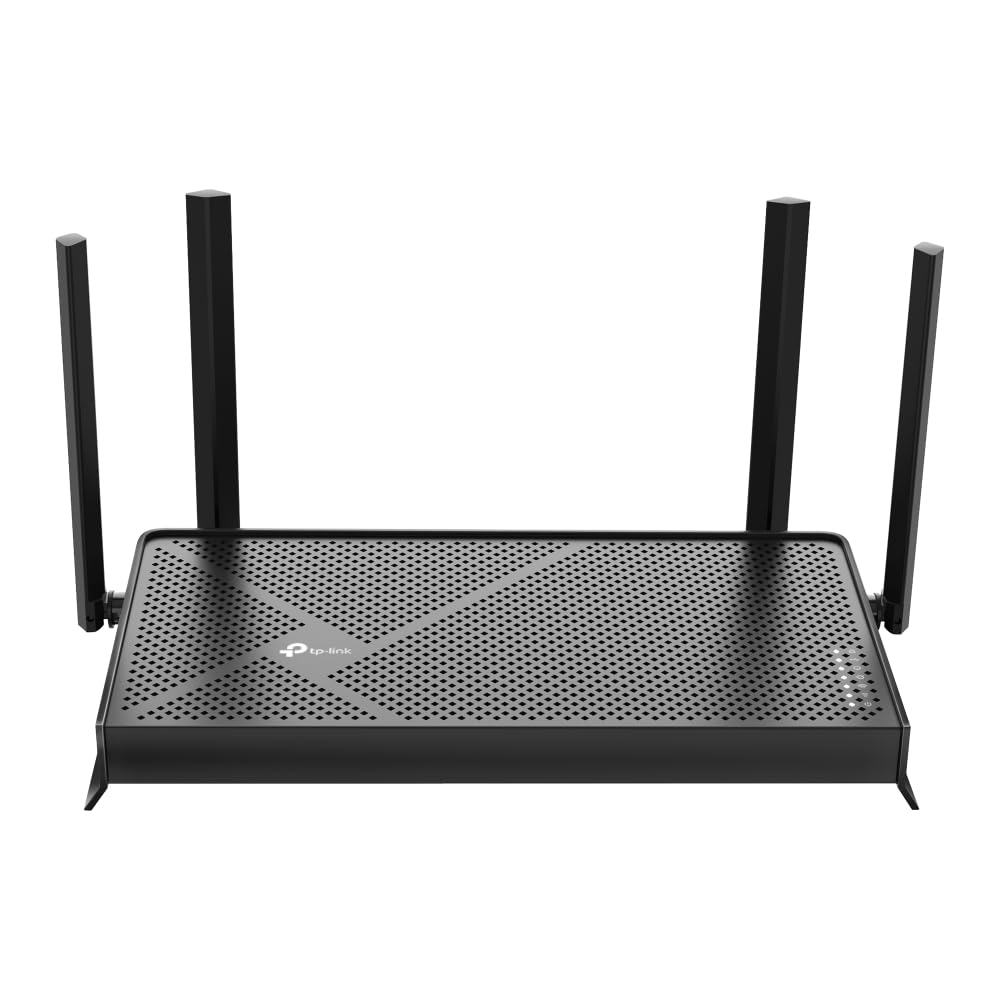
Choose the BE230 if you want Wi-Fi 7 and EasyMesh support but do not need a 6 GHz band or a set of multi-gig LAN ports.
The BE600 better fits a setup where three bands and faster wired connections are useful.
- The Archer BE230 is a dual-band Wi-Fi 7 router with up to 2,882 Mbps on 5 GHz and 688 Mbps on 2.4 GHz.
- It has two 2.5 Gbps ports, three 1 Gbps LAN ports, USB 3.0 and EasyMesh support; 6 GHz is not supported.
- The Archer BE600 offers tri-band Wi-Fi 7, including 6 GHz, plus one 10 Gbps and four 2.5 Gbps ports.
Computer Routers alternative
5,000+ ratings
Read Amazon ReviewsTP-Link Archer AXE75
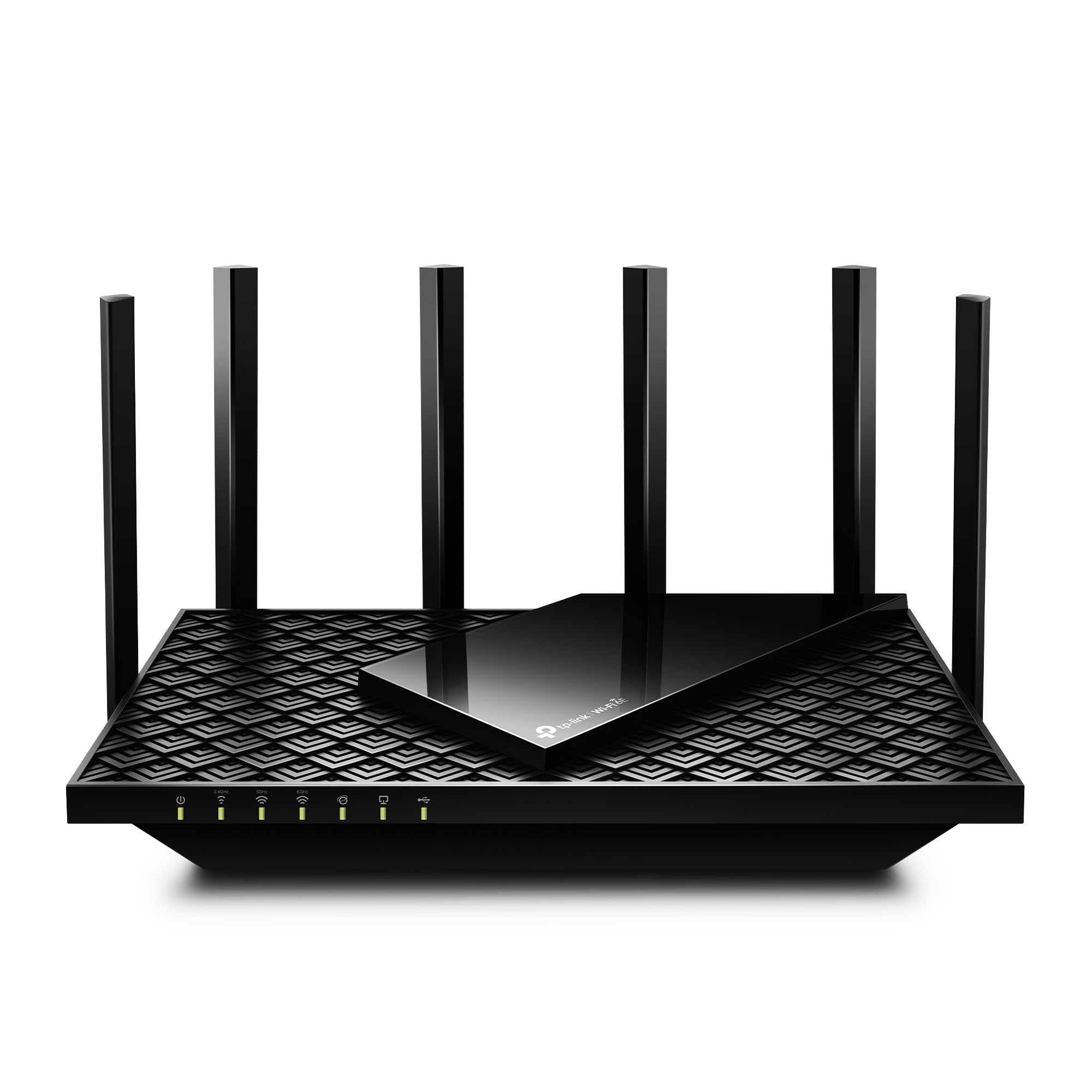
Consider the AXE75 if Wi-Fi 6E and OneMesh meet your needs and you do not require Wi-Fi 7 or the BE600’s multi-gig LAN ports.
The BE600 is the more capable fit for buyers building around newer Wi-Fi 7 clients and faster wired equipment.
- The Archer AXE75 is a tri-band Wi-Fi 6E router with up to 5,400 Mbps across its bands, a 2.5 Gbps WAN port, VPN client and server support, and OneMesh compatibility with a TP-Link OneMesh extender.
- The Archer BE600 uses Wi-Fi 7 and lists a 10 Gbps port plus four 2.5 Gbps ports, along with a 6 GHz band.
Is Archer BE600 Worth It?
The TP-Link Archer BE600 is worth considering for a busy home network that can use Wi-Fi 7, 6 GHz and multi-gigabit wired connections.
Its combination of three bands, several fast ports and broad management features gives it room to serve as the center of a capable home setup.
Its appeal depends on having compatible devices and network equipment that can make use of the extra capacity.
Check your internet plan, modem, wired devices and home layout before choosing it; if those pieces align, the BE600 is a well-equipped router with useful headroom.
Your review at a glance
600+ ratings
Read Amazon ReviewsTP-Link Archer BE600
A strong fit for homes with Wi-Fi 7 devices, multi-gig internet, and several wired connections to support.
- Tri-band Wi-Fi 7 with maximum listed rates of 5,765 Mbps on 6 GHz, 2,882 Mbps on 5 GHz and 1,032 Mbps on 2.4 GHz.
- Wi-Fi 7 support for Multi-Link Operation, Multi-RUs, 4K-QAM and channel widths up to 320 MHz.
- One 10 Gbps WAN/LAN port, one 2.5 Gbps WAN/LAN port and three 2.5 Gbps LAN ports.
- Coverage listed up to 2,600 square feet and support for up to 120 devices, with six antennas and beamforming.