The VIVO Extra Tall Single Monitor Desk Stand review is for anyone looking to raise one compatible screen while keeping a freestanding base on the desk.
Its 40-inch pole, broad range of screen adjustments, and cable management make it worth considering when a conventional low stand does not provide enough height.
VIVO STAND-V011H Review Summary
The quick verdict
5,000+ ratings
Read Amazon ReviewsVIVO STAND-V011H
A practical fit for desk users who want a freestanding monitor stand with a tall pole and flexible screen positioning.
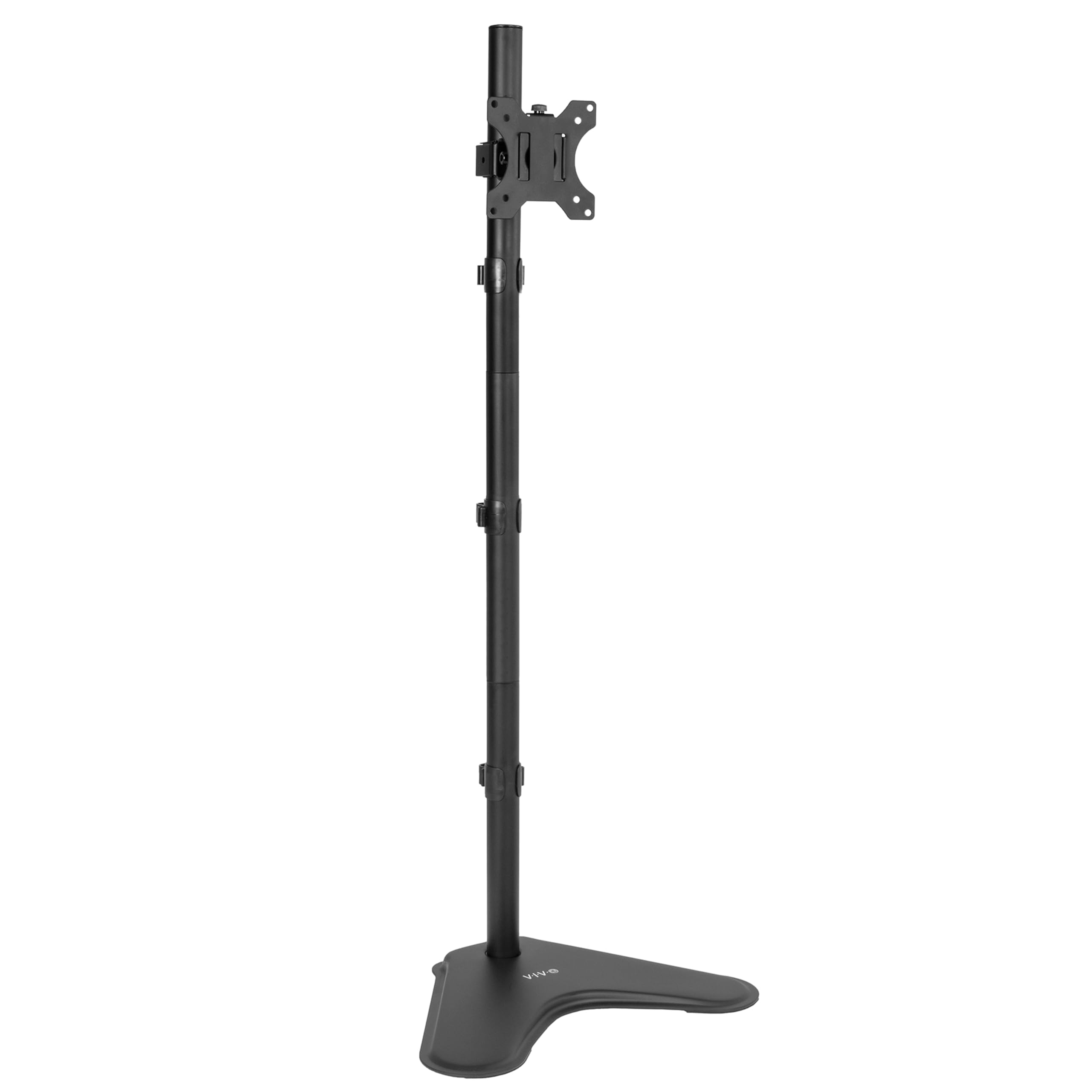
- Freestanding steel base for tabletop placement; no desk clamp is specified.
- 40-inch center pole provides a tall mounting structure for a single monitor.
- Fits 13- to 27-inch monitors weighing up to 22 pounds.
- Compatible with VESA 75x75mm and 100x100mm mounting patterns.

Pros
- Tall pole gives more scope for positioning a monitor above a standard tabletop stand.
- Freestanding design does not require attaching a clamp to the desk edge.
Consider before buying
- The base takes up room on the desktop.
- Changing height involves a bolt and is not designed for fluid, frequent movement.
Read the full review summary
The STAND-V011H supports one 13- to 27-inch monitor weighing up to 22 pounds, provided the screen has a 75x75mm or 100x100mm VESA mounting pattern.
Its freestanding steel base avoids a desk clamp, while the tall center pole gives the bracket room to sit higher than many basic tabletop stands.
Tilt, swivel, and rotation allow several viewing angles and portrait or landscape orientation.
One important tradeoff is that vertical repositioning requires loosening and retightening a bolt, so this stand is better suited to a set-and-adjust setup than frequent height changes.
Check the monitor’s weight, VESA pattern, and desired viewing height before buying.
The buying factors
VIVO STAND-V011H Scorecard
Editorial scores reflect listed features and buyer fit; they are not laboratory measurements or customer ratings.
Screen compatibility
The stated range covers many standard displays from 13 to 27 inches and includes two common VESA patterns; the 22-pound limit still needs checking.
Height range
A 40-inch pole offers substantial mounting height, though the available bracket position depends on the monitor and setup.
Viewing adjustment
Tilt, swivel, and full rotation support several viewing angles and either screen orientation.
Ease of repositioning
Height can be changed, but the bolt must be loosened and retightened, making frequent vertical adjustment less convenient.
Desk footprint
The freestanding base keeps the setup independent of a desk edge, but it occupies desktop space.
Cable organization
Included cable management helps route cords along the stand and keep the area neater.
Key Features and Specifications of VIVO STAND-V011H
- Freestanding steel base for tabletop placement; no desk clamp is specified.
- 40-inch center pole provides a tall mounting structure for a single monitor.
- Fits 13- to 27-inch monitors weighing up to 22 pounds.
- Compatible with VESA 75x75mm and 100x100mm mounting patterns.
- Bracket offers +45° to -45° tilt, 180° swivel, and 360° rotation.
- Supports portrait or landscape screen orientation and includes cable management.
- Height changes require loosening and retightening the bracket bolt; hardware is included for assembly.
Pros and Cons of VIVO STAND-V011H
Pros
- Tall pole gives more scope for positioning a monitor above a standard tabletop stand.
- Freestanding design does not require attaching a clamp to the desk edge.
- Several adjustment directions plus portrait and landscape positioning.
- Cable management and assembly hardware are included.
Consider before buying
- The base takes up room on the desktop.
- Changing height involves a bolt and is not designed for fluid, frequent movement.
- The 13- to 27-inch and 22-pound limits rule out some larger or heavier displays.
Who Should Buy VIVO STAND-V011H?
Good fit
Consider this stand if you want to lift one monitor high above the desk surface and prefer a freestanding base.
Its 40-inch pole is the defining advantage for a setup where a shorter stand cannot place the screen at a comfortable level. The tilt, swivel, and rotation also help fine-tune the viewing angle after installation.
It makes the most sense when you expect to choose a height and leave it there for a while. Before ordering, confirm that the display is within the size and weight limits and has a compatible VESA pattern.
Also measure the area where the base will sit and check that the pole can fit beneath shelves or other overhead obstructions.
Who should skip it
Skip it if you need to move the monitor up and down repeatedly during the day; the bolt-based height adjustment is intended for occasional repositioning.
Choose another type of stand if you need to mount a screen outside the stated size or weight range, or if you need a desk-mounted arm instead of a freestanding base.
How the VIVO STAND-V011H Fits a Tall Single-Monitor Setup
A tall pole changes the placement options
The 40-inch pole gives this stand room to raise the bracket well above the base.
That can help when the monitor needs to sit higher than a basic desktop riser allows, but the right position depends on the user, monitor dimensions, and desk layout.
Check the screen’s height at the intended viewing position and any overhead clearance before assembling the setup.
Height adjustment favors deliberate setup
This model allows height adjustment, but the bracket bolt must be loosened and retightened to move it.
That is a useful way to set the monitor at a chosen level, though less convenient if multiple people share the desk or the screen is routinely repositioned.
Treat the stand as adjustable during setup rather than as a quick-lift mechanism.
Articulation adds flexibility after mounting
The bracket tilts through a 90-degree range, swivels 180 degrees, and rotates fully.
Those motions help direct the screen toward a seated or standing viewing position and switch between portrait and landscape when the monitor and task suit it.
They do not replace checking that the monitor’s VESA holes and weight fit the stand.
Freestanding convenience uses desktop space
Because the base sits on the desk, installation does not depend on attaching a clamp to the desktop edge. The tradeoff is that the base occupies surface area, so measure the placement zone alongside the monitor and pole.
Cable management is included to guide cords, which can help keep the area around the stand more orderly.
Alternatives to VIVO STAND-V011H
Computer Monitor Arms alternative
20,000+ ratings
Read Amazon ReviewsVIVO STAND-V001 Single Monitor Desk Mount
Choose the STAND-V011H if a tall freestanding setup is the priority and your screen fits its limits.
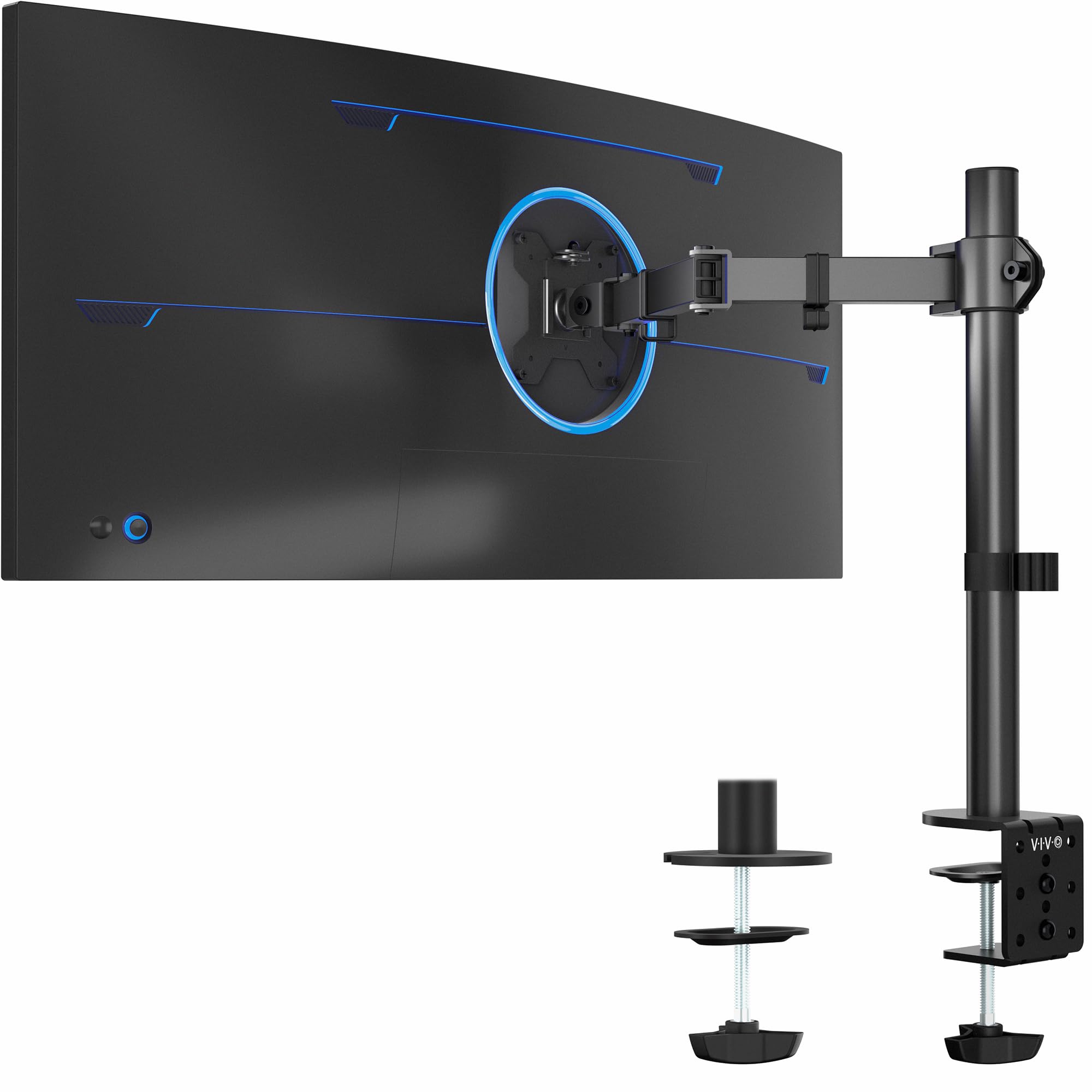
Consider the STAND-V001 if your monitor is larger or ultrawide, or if you prefer a desk-mounted arm and need its specified adjustment range.
- The STAND-V001 mounts to the desk with a C-clamp or grommet and supports screens up to 38 inches, including ultrawide models; its height adjustment runs up to 16 inches along the center pole.
- The STAND-V011H uses a freestanding base and a tall 40-inch pole, with bolt-based height changes.
Computer Monitor Arms alternative
60,000+ ratings
Read Amazon ReviewsVIVO STAND-V002 Dual Monitor Desk Mount
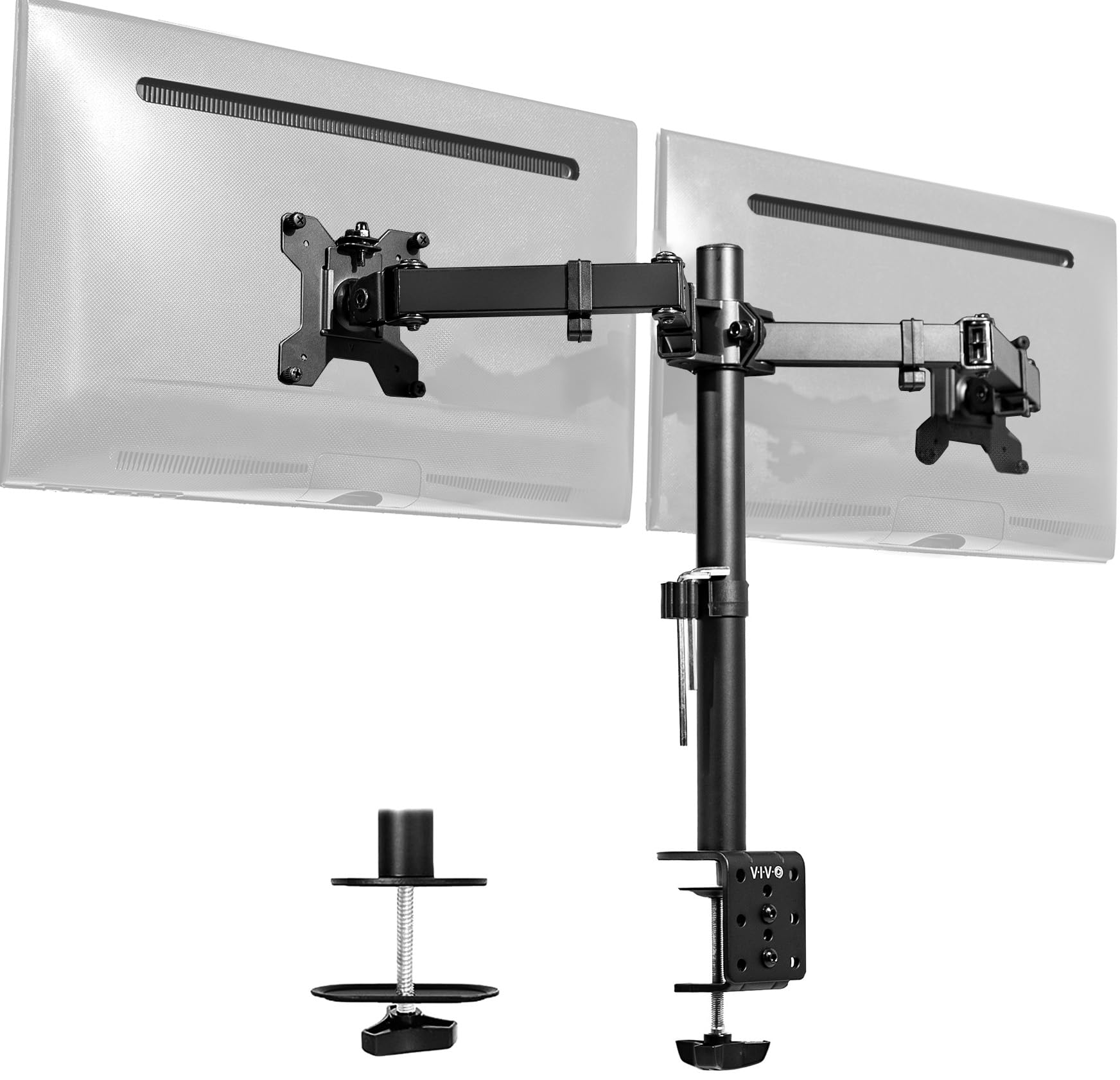
Choose the STAND-V011H for one monitor and a freestanding base. The STAND-V002 is a closer fit when you need to mount two screens and can use a clamp or grommet installation.
- The STAND-V002 holds two 13- to 30-inch monitors, up to 22 pounds each, and attaches with a C-clamp or optional grommet mount.
- The STAND-V011H is designed for a single 13- to 27-inch screen on a freestanding base.
Is VIVO STAND-V011H Worth It?
The VIVO STAND-V011H is worth considering when you need a tall, freestanding stand for one compatible monitor and expect to make height changes only occasionally.
Its pole, multiple viewing adjustments, and cable management provide a practical set of features for a customized desktop position.
Check VESA fit, screen weight, overhead clearance, and room for the base before buying. If you want easy repeated height changes, a larger monitor fit, or dual-screen support, a different mounting design will suit those needs better.
Your review at a glance
5,000+ ratings
Read Amazon ReviewsVIVO STAND-V011H
A practical fit for desk users who want a freestanding monitor stand with a tall pole and flexible screen positioning.
- Freestanding steel base for tabletop placement; no desk clamp is specified.
- 40-inch center pole provides a tall mounting structure for a single monitor.
- Fits 13- to 27-inch monitors weighing up to 22 pounds.
- Compatible with VESA 75x75mm and 100x100mm mounting patterns.